You start your day with 37 tabs open… and none of them are the one you actually need.
Your inbox is full.
Your to-do list is longer than your attention span.
And somehow you’re still copying info from one place to another like it’s 2009.
That’s the thing about running a small business… you don’t drown in big problems.
You drown in a thousand tiny ones.
So let’s fix that.
This is a straight-talking guide to workflow automation for small business, what you should automate first, what you should never automate blindly, and how AI helps you stop doing the busy work without turning your business into a weird robot factory.
☕ 7:00 AM , You check your inbox… and it checks you back
New leads. Old leads. “Just circling back.”
A vendor email.
A customer asking the same question you answered yesterday.
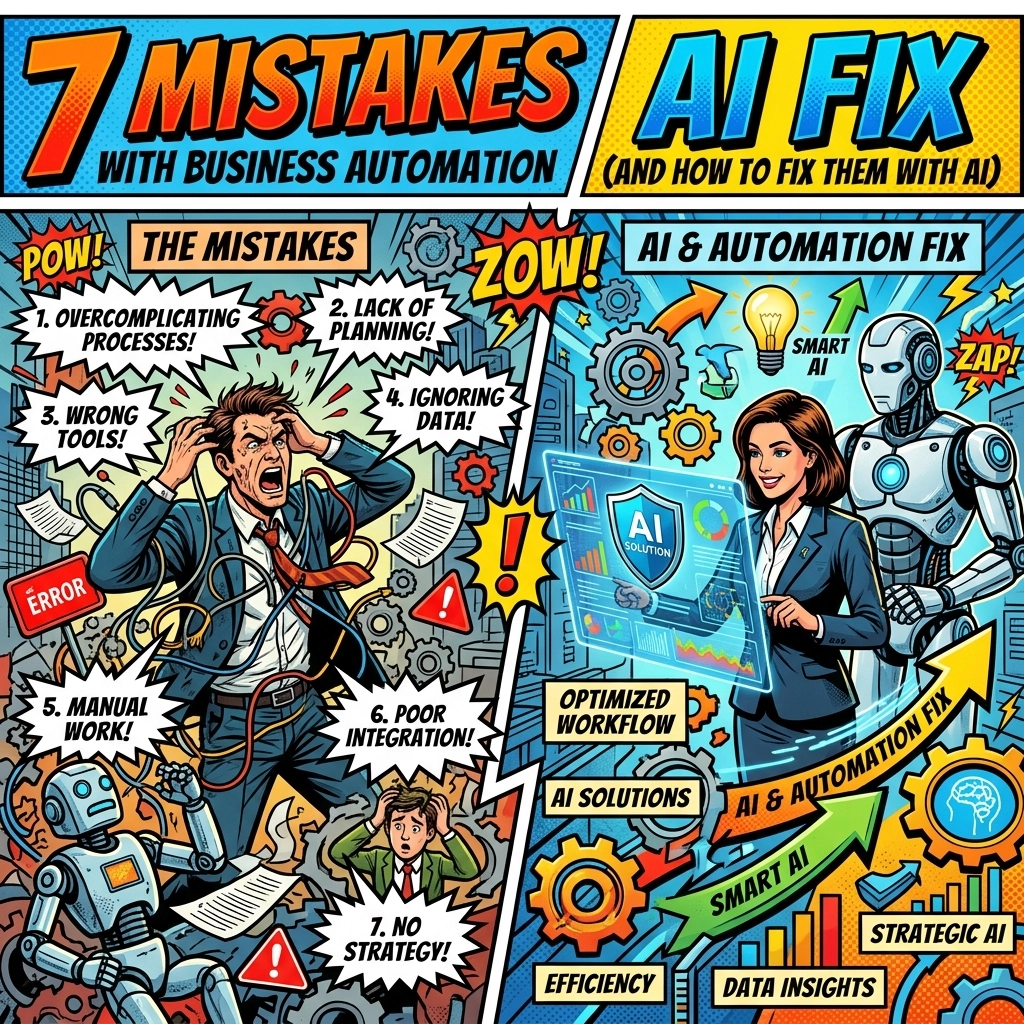
Mistake #1: Automating chaos instead of fixing the workflow
If your process is messy, automation just makes it messy faster, like putting your laundry in a leaf blower.
Fix it with AI:
Before you automate anything, write your workflow in plain English.
- “Lead comes in → gets tagged → gets emailed → gets added to CRM → gets scheduled”
- “Customer asks a question → gets answered → gets logged → gets followed up”
Then let AI help you spot the real bottleneck. Not the “annoying” task. The revenue-leaking task.
A good rule: automate the thing that blocks money first (lead follow-up, invoicing, quoting), not the thing that just feels busy (posting a tweet).
📱 9:15 AM , A lead replies… and you reply two days later
You didn’t mean to.
You just got pulled into six other things.
Mistake #2: Automating the easy stuff first
You automate social posting. Or a Slack reminder.
But your leads are still waiting. Your pipeline is still fuzzy. Your follow-ups still rely on “remembering.”
Fix it with AI:
Use automation where speed matters.
- Instant lead confirmation: “Got it, here are next steps.”
- Smart follow-up sequences: “If they open but don’t reply, send X.”
- Auto-scheduling prompts: “Pick a time that works.”
That’s what workflow automation for small business should do: protect the moments that make you money… even when you’re busy.
🔍 10:30 AM , Your CRM looks like a junk drawer
Duplicates. Missing phone numbers. Notes that say “met at thing.”
Half the records are “Test Testerson.”
Mistake #3: Feeding your automation bad data
AI isn’t magic.
If your inputs are messy, your outputs will be messy too, just with better grammar.
Fix it with AI (and one boring hour):
- Merge duplicates
- Standardize fields (country codes, job titles, categories)
- Add basic validation (no blank emails, no “N/A” phone numbers)
- Pick one source of truth (not three)
Then let AI keep it clean going forward:
- auto-tag leads by intent
- auto-fill missing fields from emails
- flag stale contacts for review
You don’t need perfect data.
You need “not actively sabotaging yourself” data.

🤝 11:45 AM , You build an automation… and nobody uses it
You were proud of it.
It took hours.
It’s elegant. It’s detailed. It’s… ignored.
Mistake #4: Building automation for your fantasy company
You know the one.
The version of your business where everyone follows the process, updates the CRM, and never forgets anything.
But you live in the real version, where people are busy and shortcuts happen.
Fix it with AI:
Start with the workflow people already follow (even if it’s imperfect), then improve it gradually.
A good automation should feel like:
- “Oh nice… that part’s handled.”
Not: - “Ugh, now I have to do it this new way.”
AI helps because it can adapt without requiring your team to memorize a 15-step SOP.
It can read an email, understand the intent, and route it properly, without you policing every click.
☎️ 1:20 PM , Support questions pile up while you’re trying to focus
You’re in the middle of something important… and someone asks:
“Do you ship to Ireland?”
“Can I change my booking?”
“Where’s my invoice?”
Again.
Mistake #5: Treating every question like it needs you personally
Some customers do need you.
Most just need an answer.
Fix it with AI:
Automate the repetitive support without killing the human touch.
- AI drafts replies for common questions
- AI pulls the right info (order status, policy, appointment details)
- You approve or tweak when needed
Keep a “human in the loop” for anything sensitive:
- refunds
- complaints
- edge cases
- high-value customers
You’re not removing the human.
You’re removing the copy-paste.
🧾 3:05 PM , You realize you’re still doing admin like it’s a second job
Invoices. Follow-ups. Reminders. Payment links.
Chasing. Nudging. Re-sending.
Mistake #6: Underestimating the real cost of “manual”
It’s not just time.
It’s brain space.
Every tiny admin task adds friction, and friction steals momentum.
Fix it with AI:
Build a simple “admin autopilot”:
- Quote request comes in → AI drafts quote → you approve → sent
- Invoice sent → if unpaid in 7 days, reminder goes out
- Payment received → receipt goes out → job marked complete
- Review request sent at the right time (not randomly)
That’s the kind of automation that makes you feel like you hired someone… without actually hiring someone.
🌙 5:40 PM , You get a “smart” report… and it’s confidently wrong
“Your best-selling product is umbrellas.”
It ignores that it was a one-week storm.
Or a one-off promo.
Or a bulk order from one client.
Mistake #7: Believing automation outputs without context
AI is good at patterns.
But it doesn’t live your life.
It doesn’t know your seasonality, your weird customers, or your “that month everything broke.”
Fix it with AI:
Treat AI like a sharp assistant, not a CEO.
- Ask for recommendations with context
- Cross-check big decisions
- Use AI to surface insights, not dictate them
A great workflow is:
AI suggests → you decide → AI executes.
Not:
AI decides → you panic.
The small business automation starter pack (steal this)
If you want a clean place to start, automate these first:
- Lead capture → CRM entry → instant reply
- Follow-up sequences (based on opens/clicks/replies)
- Scheduling + rescheduling
- Invoice + payment reminders
- Support replies for FAQs
- Daily “what needs attention” summary
Then add the fancy stuff later.
Because the fastest wins are usually boring.
And profitable.
Quick FAQ (because you’re thinking it)
Do you need a big team to use workflow automation?
No. Honestly, it’s usually easier with a small team because fewer people need to change habits.
Will automation make your business feel “cold”?
No, if you automate the repetitive stuff and keep humans for the emotional moments. That’s the sweet spot.
What’s the first step if you’re overwhelmed?
Write down your top 10 recurring tasks for one week. Then automate the one that happens most often and touches revenue.
Want help setting this up without the headache?
If you want to see what this looks like in your business (not a generic template), take a look here: https://marblism.link/scott-bowen
Not a commitment.
Just a “show me where I’m wasting time” kind of next step.
Because you didn’t start a business to spend your life moving info between tools.
And you don’t have to.
Why Your Business Needs an AI Virtual Assistant (Before Your Competitors Get One)
You’re not “bad at delegating.”
You just don’t have anyone to delegate to.
So you do it all:
- reply to leads
- send follow-ups
- chase invoices
- answer FAQs
- schedule calls
- update the CRM (sometimes… eventually…)
And it works.
Until it doesn’t.
Because the moment your business gets traction, admin multiplies like it’s trying to win an award.
This is where an AI virtual assistant for business stops being a gimmick and starts being the thing that keeps you sane.
☕ 7:10 AM , You wake up to messages… and the day starts without you
A lead DMs you at midnight.
Someone emails “Is this still available?”
A customer asks to reschedule.
You see it all… and now your brain is “on” before coffee.
What an AI virtual assistant does instead:
It responds instantly, with your tone and your rules.
- “Yes, availability is open. Want to book a call?”
- “No problem, here’s a reschedule link.”
- “Thanks for reaching out. Here’s what happens next.”
You’re not glued to your phone.
But your business still feels responsive.
📩 9:00 AM , Leads don’t disappear into the void anymore
You know the painful truth: most leads don’t ghost… they just don’t get followed up.
Your competitor isn’t better than you.
They’re just faster.
An AI virtual assistant for business fixes that by:
- tagging leads by intent (“pricing,” “urgent,” “just browsing”)
- routing them to the right place
- nudging you only when it actually matters
So you don’t miss opportunities because you were busy doing… literally anything else.
🔍 10:25 AM , Your “what should I do today?” is answered
Some days you’re busy… but not productive.
You finish the day exhausted and still wonder what you actually moved forward.
An AI assistant gives you a daily command center:
- “3 leads need replies”
- “2 invoices are overdue”
- “1 customer is waiting on a reschedule”
- “Top priority: follow up with Alex (opened proposal twice)”
Not more tasks.
Just clarity.

🤝 12:15 PM , Customers get a human experience… without you repeating yourself
People don’t hate automation.
They hate being ignored.
They hate silence.
They hate “Please allow 3–5 business days” when the question takes 10 seconds.
An AI assistant helps you stay warm and fast:
- drafts replies you can approve
- pulls context from past messages
- keeps your tone consistent
And when it’s truly sensitive?
It escalates to you. Cleanly.
That’s the best combo: speed + judgment.
🧾 2:40 PM : Admin happens quietly in the background
You send a quote.
Then you forget to follow up.
Then you remember at 11 PM.
Then you feel weird about it.
An AI assistant handles the “boring but important” loop:
- “Quote sent”
- “Follow-up after 2 days”
- “Follow-up after 7 days”
- “If they reply, stop the sequence”
- “If they pay, trigger onboarding steps”
It’s not pushy.
It’s consistent.
And consistency is what turns interest into revenue.
☎️ 4:10 PM : Your support load shrinks without sacrificing quality
You don’t need a full support team.
You need fewer repeat questions.
An AI virtual assistant for business can:
- answer FAQs instantly
- draft replies for unusual cases
- summarize long threads so you don’t reread everything
- log issues so patterns show up (“this policy confuses people”)
You stop firefighting.
You start improving.
🌙 6:05 PM : You close your laptop… and work stays closed
The best part isn’t the productivity.
It’s the mental quiet.
No “Did I reply to that?”
No “I’ll do it tomorrow” pile.
No late-night inbox doom scroll.
Just… done.
“But won’t it sound like a bot?”
Only if you let it.
Your AI assistant should write like you:
- casual
- clear
- helpful
- not creepy
You set the tone once.
It follows it every day.
And if you want it to be more “human,” you keep approvals on for a while: then slowly let it run more on its own.
Tiny testimonials that sound like real life
“Feels like I hired someone who never forgets. I just approve stuff.” : Sam
“I stopped losing leads because replies happen instantly now.” : Priya
“My brain isn’t stuck in admin mode all day.” : Jordan
What to delegate first (so you actually feel it)
If you’re adding an AI assistant, start here:
- Lead replies + qualification questions
- Scheduling + rescheduling
- FAQ support drafting
- Follow-ups for quotes/invoices
- Daily summary + priority list
This isn’t about making your business “AI-powered.”
It’s about making it run without you holding every string.
FAQ
Is an AI virtual assistant only for big companies?
No. It’s more useful when you’re small because it covers gaps you can’t hire for yet.
Will it replace a real assistant?
Not fully. But it can do the repetitive parts so a real assistant (or you) can focus on judgment and relationships.
Do you need perfect systems first?
No. But you do need a few basic rules: where leads come in, where they’re stored, and what “good follow-up” looks like.
If you want to see it in your business (not a generic demo)
You can poke around here and see what an AI assistant could take off your plate: https://marblism.link/scott-bowen
No pressure.
Just a faster path to a calmer workday.
Because your competitors are automating right now.
Quietly.
And they’re not going to warn you.