
A property management system for hotels gives you one place to manage reservations, room status, check-ins, payments, and housekeeping. A hotel PMS helps you coordinate daily hotel operations, reduce manual work, and deliver a smoother guest experience.
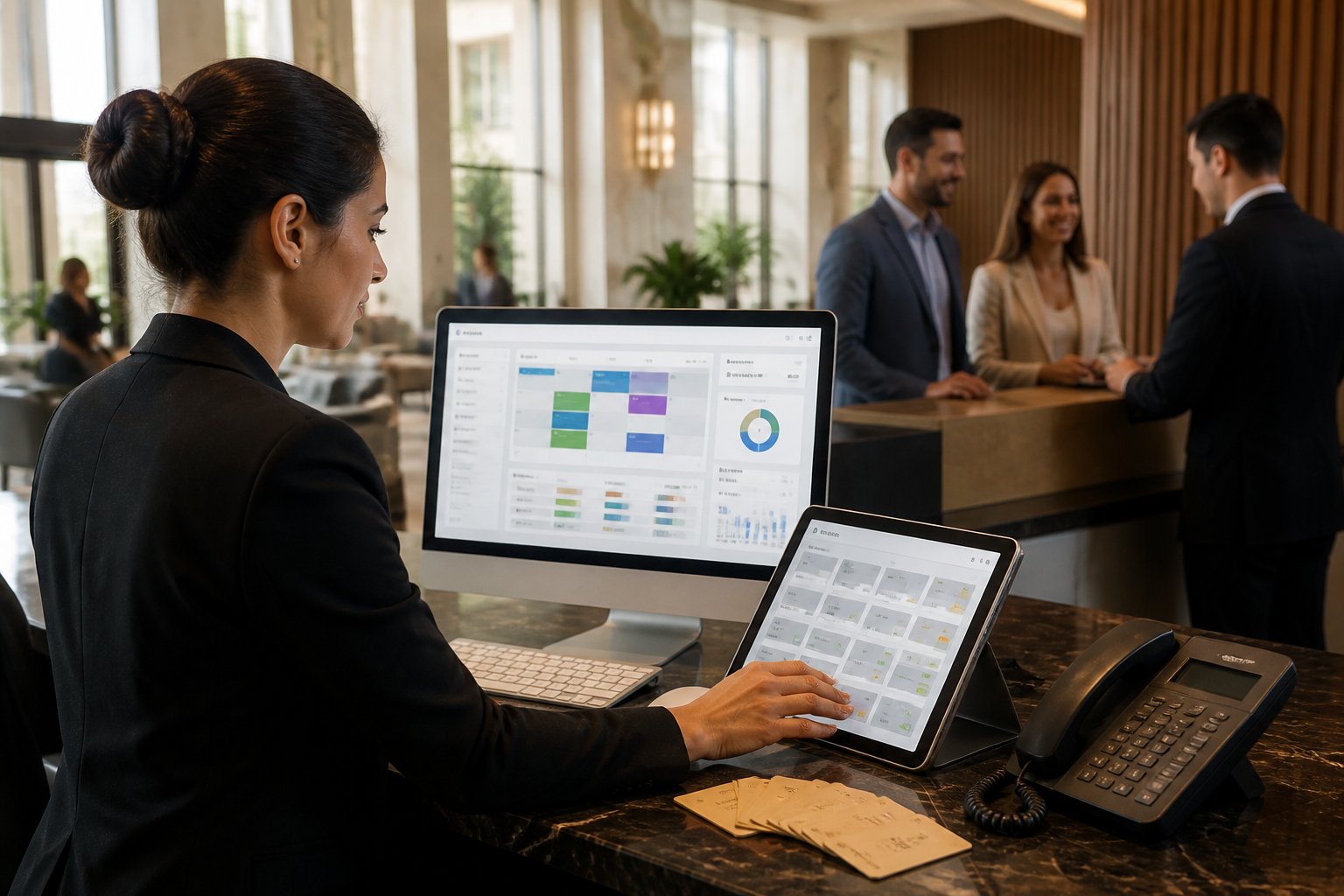
The right property management software can also connect booking channels, payment tools, reporting, and guest messages. Learn which features matter, how integrations affect your workflow, and how to choose a platform that fits your property.
Key Takeaways
- A hotel PMS centralizes core hotel operations.
- Integrations support bookings, revenue, and guest service.
- Careful planning helps you select and launch the right platform.
Core Workflows and Essential Capabilities
Your hotel management software should connect reservations, room status, front desk operations, housekeeping, guest folios, payments, and reporting. When these workflows share current data, you can assign rooms accurately, reduce manual entry, and give staff clear tasks throughout each stay.
Reservations, Room Availability, and Room Assignment
Reservation management begins with a single record for each booking. You should be able to store guest details, dates, room type, rate plan, payment terms, requests, and booking source. The system should update room availability immediately when staff create, change, or cancel a reservation.
A visual reservation calendar helps you review arrivals, departures, maintenance blocks, and occupied rooms. If you sell rooms through online travel agencies, a channel manager should synchronize rates and availability in both directions to reduce conflicting bookings.
Room assignment should consider room type, accessibility needs, connecting rooms, housekeeping status, and guest preferences. You can assign rooms before arrival or let the front desk complete assignments during check-in. A flexible system also supports room moves, split stays, group blocks, waitlists, and overbooking controls. Reservation and PMS calendars commonly provide this shared view of bookings and inventory.
Front Desk, Check-In, and Check-Out
Your front desk team needs a clear arrival list showing expected guests, assigned rooms, balance due, identification requirements, and special requests. During guest check-in, staff should confirm the reservation, verify guest details, collect any required deposit, encode or issue keys, and record the actual arrival time.
A PMS can support online check-in, digital registration forms, and automated arrival messages. These tools reduce repeated data entry, but staff should still have a way to review corrections and handle exceptions, such as early arrivals, room changes, or missing payment details.
At check-out, the system should display the complete folio, including room charges, taxes, discounts, deposits, and approved extras. After you settle the balance and issue the receipt or invoice, the room status should change to dirty or inspection pending. This update allows housekeeping to begin work and helps the front desk sell the room again when it becomes ready.
Housekeeping, Folio Management, and Night Audit
Housekeeping management should show each room’s current status, such as vacant clean, occupied, dirty, inspected, out of order, or out of service. Supervisors can assign cleaning tasks, set priorities, record inspections, and report maintenance problems from the same system. Real-time updates help the front desk avoid assigning a room before it is ready.
Folio management keeps all financial activity connected to the correct guest or group. You should be able to post room charges, taxes, deposits, adjustments, refunds, transfers, and approved services without creating duplicate records. For longer stays or shared bookings, the system should support separate folios and clear charge routing.
The night audit checks the business day before it closes. It typically verifies room revenue, taxes, payments, refunds, adjustments, occupancy figures, and unresolved balances. It should also produce audit reports and carry accurate balances into the next operating day.
Payments, Invoicing, and Point of Sale
Payment processing should support the methods your guests use, including cards, digital wallets, bank transfers, cash, and approved corporate billing. An integrated payment gateway can connect transactions to reservations and folios, reducing manual posting and helping staff match each payment to the correct guest.
Your system should support deposits, preauthorization, partial payments, refunds, payment links, and secure card handling. You should also control user permissions so staff can process routine transactions while managers review refunds, discounts, voids, and other sensitive adjustments.
Invoicing should calculate room rates, taxes, fees, discounts, and payment history accurately. If your hotel operates a restaurant, bar, spa, or shop, a connected POS can post charges directly to the guest folio. This link reduces duplicate entry and gives your back office one record for revenue, receipts, settlements, and daily reporting.
Distribution, Revenue, and Guest Engagement
Your property management system should connect sales channels, support data-based pricing, and keep guest information in one place. These functions help you control availability, improve direct bookings, measure performance, and provide faster service.
Channel Connectivity and Direct Booking Tools
A channel manager updates room availability, rates, and restrictions across OTAs such as Booking.com and Expedia. This reduces manual updates and helps prevent double bookings. If you also sell rooms through Airbnb, a GDS, or metasearch sites, confirm that your PMS or CRS, also called a central reservation system, supports those connections.
Your hotel website should include a mobile-friendly booking engine or direct booking engine. A website builder can help you create clear room pages, show live availability, and present policies before payment. Displaying accurate rates and adding simple offers, such as flexible cancellation or member pricing, can encourage direct bookings without creating rate conflicts across channels.
Check whether the system sends confirmed reservations, cancellations, guest details, and payment information back to the PMS. Strong two-way connectivity keeps front-desk staff and housekeeping teams working with current information.
Rate Strategy and Performance Reporting
Your PMS should give you the data needed for rate management and revenue management. You can use demand patterns, booking pace, occupancy rate, room type, and stay dates to adjust prices through dynamic pricing rules. Set limits for minimum and maximum rates, then review changes before they reach every connected channel.
Useful reports should show occupancy, ADR, and RevPAR by date, room type, market segment, and channel. ADR measures average daily room revenue, while RevPAR combines room revenue with available inventory. Compare these figures with cancellations, discounts, commissions, and booking windows to understand whether higher occupancy also produces healthy returns.
Look for dashboards that provide revenue reporting and exportable analytics. Scheduled reports can help you track pickup, forecast demand, compare OTA and direct performance, and identify dates when you need to change rates or open more inventory.
Guest Profiles, Messaging, and Self-Service
A PMS with CRM, or customer relationship management, tools can create a unified guest profile. Store consented details such as contact information, stay history, preferences, requests, and spending records. Use this information carefully to personalize room offers, arrival instructions, and service messages without collecting data you do not need.
Guest messaging should support email, SMS, or an integrated mobile app. Automated messages can confirm a booking, offer an upgrade before arrival, provide directions, and request feedback after departure. Staff should still be able to review conversations and respond to special requests.
Self-service options can include online check-in, mobile check-in, contactless check-in, and self-service kiosks. These tools can shorten queues, but provide a clear alternative for guests who need assistance. Connect each interaction to the guest profile so staff can see the latest status and address problems that may affect guest satisfaction.
Selecting, Integrating, and Implementing the Right Platform
Your choice should fit your property’s size, operating model, staffing, budget, and growth plans. You also need reliable integrations, clear security controls, practical training, and a rollout plan that protects daily operations.
Match the System to Your Property Type and Scale
Start with your property’s real workflow. An independent hotel, small hotel, inn, motel, or boutique hotel may need reservations, front-desk tools, housekeeping, payments, and direct bookings without the complexity of a large hotel system. Hostels, campgrounds, and vacation rentals may also require bed, site, unit, or activity management rather than only room-based operations.
A resort or large hotel usually needs stronger support for groups, events, outlets, packages, multiple payment types, and detailed reporting. If you manage several properties, choose a platform that supports multi-property management, shared guest profiles, central reservations, and multi-property reporting.
Build a short requirements list before comparing products. Review options such as Cloudbeds, Mews, WebRezPro, Little Hotelier, Roommaster, Maestro PMS, and Oracle OPERA based on the workflows you actually use. Hotel PMS selection criteria can help you organize this review.
Evaluate Cloud Architecture, Integrations, and Security
A cloud PMS or cloud-based hotel PMS lets you access hotel technology through a browser or mobile device. It can reduce local server work and support automatic updates, but your property still depends on a stable internet connection and the provider’s service availability.
Check whether the hotel management system connects with your booking engine, channel manager, payment provider, point-of-sale system, CRM, guest messaging tools, and revenue management system (RMS). An open API, documented data formats, webhooks, and reliable support for third-party integrations can reduce manual entry and help prevent mismatched reservations or charges. Integration planning remains important because hotel systems may update data at different speeds; PMS integration guidance explains common coordination issues.
Review security before signing. Ask about encryption, role-based access, audit logs, backups, disaster recovery, payment security, data ownership, breach notification, and data export. Confirm how the vendor handles guest privacy requirements in every country where you operate.
Compare Vendors, Costs, Support, and Rollout Plans
Compare the full cost of the hotel property management software, not only the monthly subscription. Include setup, data migration, payment processing, integrations, hardware, training, custom reports, support, and future property additions. Request a written price for your room count, users, locations, and required modules.
During demonstrations, ask vendors to show real tasks: create a reservation, change dates, split a folio, assign a room, update housekeeping status, process a payment, and produce an occupancy report. Test the system with your own workflows and sample data instead of relying on prepared slides.
Assign an internal project owner and set milestones for configuration, migration, testing, staff training, and launch. Run user acceptance tests with front-desk, housekeeping, finance, and management teams. A phased rollout, backup procedures, and access to knowledgeable implementation support can limit disruption. Compare PMS features and vendor options before making the final decision.
Frequently Asked Questions
A hotel PMS manages reservations, room status, guest records, billing, housekeeping, and reports in one system. The right platform depends on your property’s size, workflows, integrations, budget, and support needs.
What is a hotel PMS and how does it work?
A hotel property management system (PMS) is software that helps you manage daily hotel operations. You can use it to record reservations, assign rooms, check guests in and out, track housekeeping, process charges, and create reports.
A PMS keeps these details connected in one system. When you update a booking, the room calendar, availability, guest profile, and billing records can update at the same time.
Cloud PMS software runs on remote servers, so you can access it through a web browser on approved devices. The provider usually manages software updates, backups, and system infrastructure.
What is the best hotel management software for small hotels?
The best software for a small hotel should match your room count, staff size, operating style, and sales channels. Look for a simple interface, reliable customer support, transparent pricing, and the features you will use every day.
Useful tools include a central reservation calendar, direct booking engine, channel manager, housekeeping tasks, payment processing, guest messaging, and basic reporting. You should also check whether the system charges setup fees, per-room fees, or extra fees for integrations.
Platforms such as Cloudbeds, Mews, and RoomRaccoon appear among commonly reviewed hotel PMS options, but you should compare each product with your specific requirements before choosing one.
What features should a hotel property management platform include?
A hotel PMS should include these core features:
- Reservation and availability management
- Direct booking tools
- Channel management for online travel agencies
- Guest profiles and stay history
- Check-in and check-out workflows
- Room status and housekeeping management
- Billing, invoices, and payment processing
- Rate and package management
- Staff permissions and activity records
- Occupancy, revenue, and booking reports
- Integrations with accounting, payment, messaging, and revenue tools
You should also review data security, backup procedures, mobile access, training, and customer support. A platform that connects reservations, room status, guest data, invoices, and metrics can reduce duplicate work and data errors, as explained in this guide to hotel PMS workflows.
How does a PMS support front desk operations?
A PMS gives your front desk team a live view of arrivals, departures, room availability, guest details, and outstanding tasks. Staff can use it to create or change reservations, assign rooms, record identification details, issue keys, and post charges.
During check-in, the system can display the reservation, rate, payment status, and special requests. During check-out, it can calculate the final balance, record payment, produce an invoice, and mark the room for cleaning.
Because housekeeping and front desk staff work from the same room-status data, they can coordinate room preparation more effectively. Many systems also support automated confirmations, arrival messages, and follow-up communication.
What are the leading hotel property management systems?
Commonly reviewed hotel PMS products include Oracle OPERA, Cloudbeds, Mews, RoomRaccoon, Stayntouch, Hotelogix, and Little Hotelier. Their features, pricing, target markets, and integration options differ.
OPERA often serves larger hotels and complex operations. Cloudbeds and RoomRaccoon target many independent and smaller properties, while Mews and Stayntouch focus on cloud-based workflows and automation.
You should compare the products using your room count, number of properties, required booking channels, payment needs, reporting requirements, and staff skills. Product rankings can change, so review current plans and request a product demonstration before signing a contract.
How do hotel PMS systems integrate with booking channels and payment tools?
A PMS can connect to your website booking engine and online travel agencies through a channel manager. When you update room availability or rates, the connected channels can receive the change, and new bookings can return to the PMS.
This setup reduces the need to update each channel manually. It can also help prevent conflicting availability, although you should still monitor connections and reservation errors.
Payment integrations allow you to take card payments, record deposits, process refunds, and match transactions with guest folios. Before choosing a system, confirm which payment providers it supports, how it handles payment security, and whether transaction fees apply. Some platforms combine the PMS, booking engine, channel manager, payments, and guest messaging in one cloud platform.