You start your day with 47 unread support tickets.
By 9 AM, it's 63. Someone wants a password reset. Another person can't find their order. Three customers are asking the exact same question about shipping times. One of them is getting impatient because you haven't responded in… 12 minutes.
Your coffee's cold. Your inbox is a dumpster fire. And you haven't even started your actual work yet.
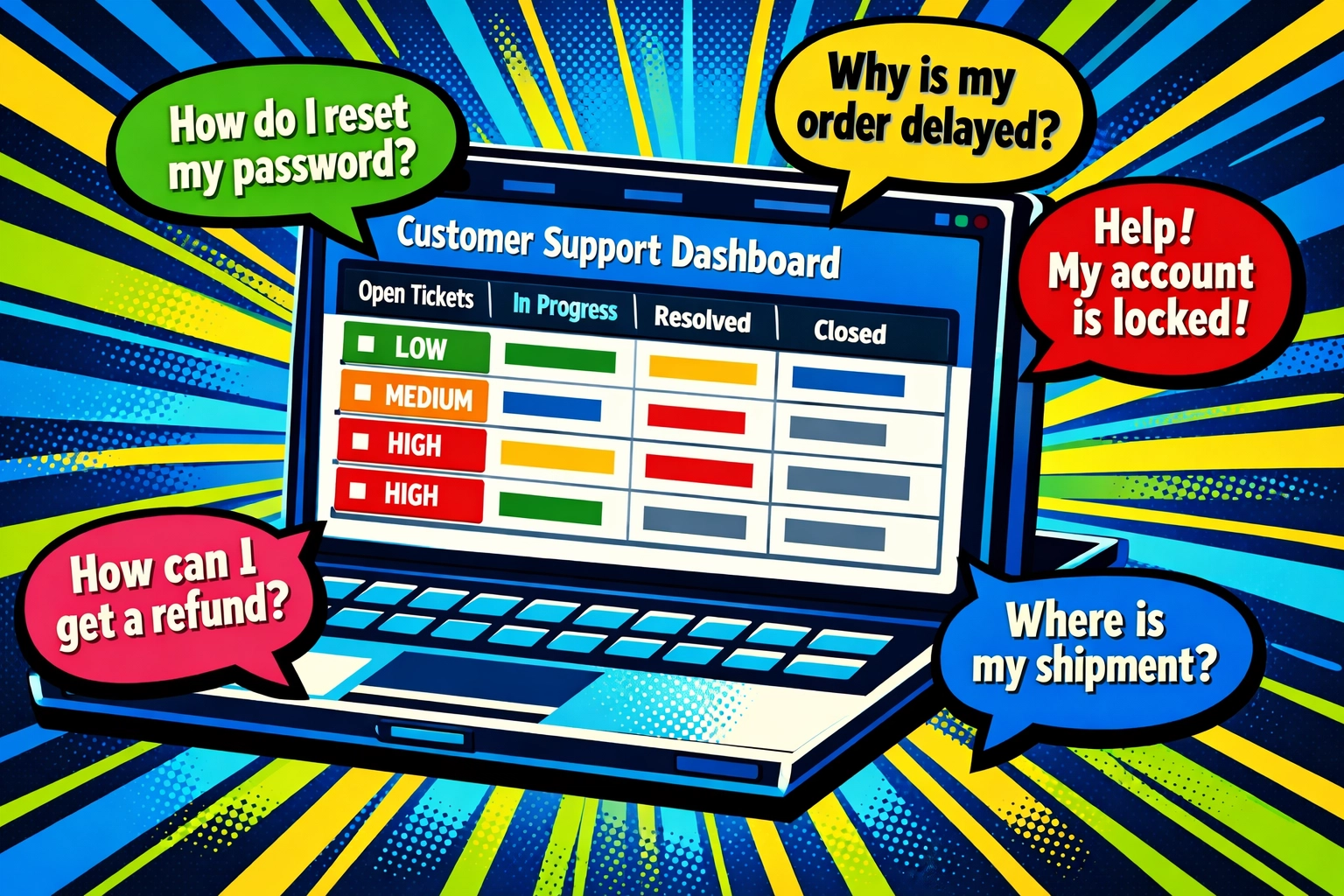
Here's what nobody tells you about customer support: it's not the hard questions that kill you. It's the repetitive ones. The "Where is my order?" messages. The "How do I reset my password?" emails. The same five questions, over and over, eating your entire morning.
But here's the thing…
You don't need to hire another support agent. You don't need to learn how to code. And you definitely don't need to spend weeks setting up some complicated system.
You need five minutes. Maybe less.
The Problem With "Just Hire More Help"
Let's be real , hiring costs money you might not have. Training takes weeks. And even after all that, your new hire is still answering the same boring questions you were.
The math doesn't add up.
Your support volume keeps growing. Your team (or just you, wearing all the hats) stays the same size. Something's gotta give.
That something is usually your sanity.

What If You Could Automate The Boring Stuff?
Not the important conversations. Not the complex issues that need a human touch.
Just the repetitive stuff. The questions you could answer in your sleep. The tasks that make you want to copy-paste your own responses because you've typed them 100 times before.
That's where AI customer support automation comes in. And I'm not talking about the clunky, robotic chatbots from 2015 that made everyone want to throw their laptop out the window.
I'm talking about modern AI virtual assistants for business that actually work. The kind that can resolve customer questions without sounding like a broken record player.
The 5-Minute Setup (Seriously)
Here's how this actually works. No coding. No technical degree. Just you, a cup of coffee, and five minutes.
Minute 1: Pick One Thing
Stop trying to automate everything at once. That's where people mess up.
Instead, choose the one question or task that's eating most of your time. For most businesses, it's one of these:
- "Where is my order?"
- Password resets
- Basic product questions
- Shipping/return policy info
- Account setup help
Pick your biggest time-suck. That's your starting point.
Minute 2: Point It to Your Answers
Modern AI platforms don't need you to program responses. They just need to know where to find your information.
Your help center. Your FAQ page. That Google Doc where you keep all your templates. Past support tickets you've already resolved.
You tell the AI: "Here's where the answers live." It reads them. That's it.
Minute 3: Set the Ground Rules
This is where you tell your AI what to do when it's not sure about something.
"If you don't know the answer, pass it to a human."
"If the customer sounds frustrated, escalate immediately."
"If it's about a refund over $100, loop me in."
You set these in plain English. No code. Just common sense rules that keep your customers happy.
Minute 4: Connect Your Tools
Your AI needs to talk to your email, your live chat, or whatever system you use for support. Most modern platforms have one-click integrations.
Gmail. Intercom. Zendesk. Shopify. Whatever you're using, there's probably a button for it.
Click. Connected. Moving on.
Minute 5: Test It
Send yourself a test message. Ask the question you picked in Minute 1.
Does the AI give the right answer? Does it sound like a human wrote it? Does it know when to ask for help?
If yes, you're done.
If not, tweak your knowledge sources or rules. But honestly? Most modern platforms nail it on the first try.
What Happens After Those 5 Minutes
☕ 7:00 AM : You wake up to an inbox that's already organized. Your AI has answered 23 of those 47 overnight tickets. Sorted the rest by priority. Flagged three that need your immediate attention.
The chaos is gone before you even take your first sip.
11:00 AM : A customer asks about your return policy. Your AI responds instantly with the exact policy, in a friendly tone, and asks if they need anything else. Customer's happy. You never saw the ticket.
Your AI is handling the repetitive questions while you're in a meeting.
📱 2:00 PM : A frustrated customer messages about a delayed order. Your AI detects the sentiment, sees the elevated emotion, and immediately escalates to you with full context. You step in, fix the problem personally, and save the relationship.
That's the smart handoff. AI handles routine. You handle relationships.

5:00 PM : You check your dashboard. Your AI resolved 67% of today's tickets without any human intervention. Your average response time dropped from 3 hours to 4 minutes. Three customers left reviews mentioning how fast your support is now.
You didn't lift a finger.
This Isn't Replacing Your Team : It's Scaling It
Look, nobody wants robot customer service. Your customers definitely don't.
But here's what they also don't want: waiting 6 hours for an answer to "What's your shipping policy?"
AI handles the boring, repetitive questions that have clear answers. Password resets. Order tracking. Policy questions. The stuff that's essential but doesn't require human judgment.
Your team (or you) handles everything else. The complex issues. The unhappy customers who need empathy. The strategic conversations that actually build loyalty.
It's not about replacing humans. It's about freeing them up to do the work that actually matters.
"But I'm Not Tech-Savvy…"
Neither are most of the business owners using this stuff right now.
You don't need to understand how the AI works any more than you need to understand how your email works. You just need to know what you want it to do.
Modern platforms are built for normal people. If you can use Gmail, you can set this up.
And most offer free trials, so you can test before you commit. No credit card. No risk. Just five minutes to see if it actually works for your business.
What To Look For In An AI Customer Support Tool
Keep it simple. Here's what matters:
Quick setup : If it takes longer than 10 minutes to get running, it's too complicated.
Natural language : Your customers shouldn't feel like they're talking to a robot.
Smart escalation : The AI needs to know when to call for backup.
Easy knowledge connection : It should pull from your existing docs, not force you to rebuild everything.
Real analytics : You need to see what's working and what's not.
That's it. Don't overthink it.
The Real ROI
Let's do the quick math.
If you're spending 2 hours a day on repetitive support questions, that's 10 hours a week. 40 hours a month.
That's an entire work week. Every single month.
What could you do with an extra week every month? Build new products? Actually market your business? Take a day off without your phone buzzing every 20 minutes?
Most AI support tools cost less than hiring a part-time employee. But they work 24/7, never call in sick, and get faster over time instead of burning out.
The ROI isn't just money. It's time. Sanity. The ability to actually grow your business instead of drowning in the same questions day after day.
Start With One Thing
You don't have to automate your entire support operation today.
Pick one repetitive task. The one that makes you roll your eyes every time you see it. The password resets. The "Where is my order?" questions. That one FAQ you've answered 300 times.
Automate that.
See how it works. Watch it handle those requests while you do literally anything else. Then add another task. And another.
Before you know it, your support runs itself for the simple stuff. And you're free to focus on the complex, interesting work that actually moves your business forward.
Ready To Get Your Time Back?
Five minutes. That's all it takes to set up AI customer support that actually works.
No coding. No complicated setup. Just point it at your answers, set a few ground rules, and watch it go.
Want to see it in action? Check out how businesses are using AI virtual assistants to automate customer support without losing the human touch: https://marblism.link/scott-bowen
Your future self (the one who's not drowning in support tickets) will thank you.
Leave a Reply