Blog

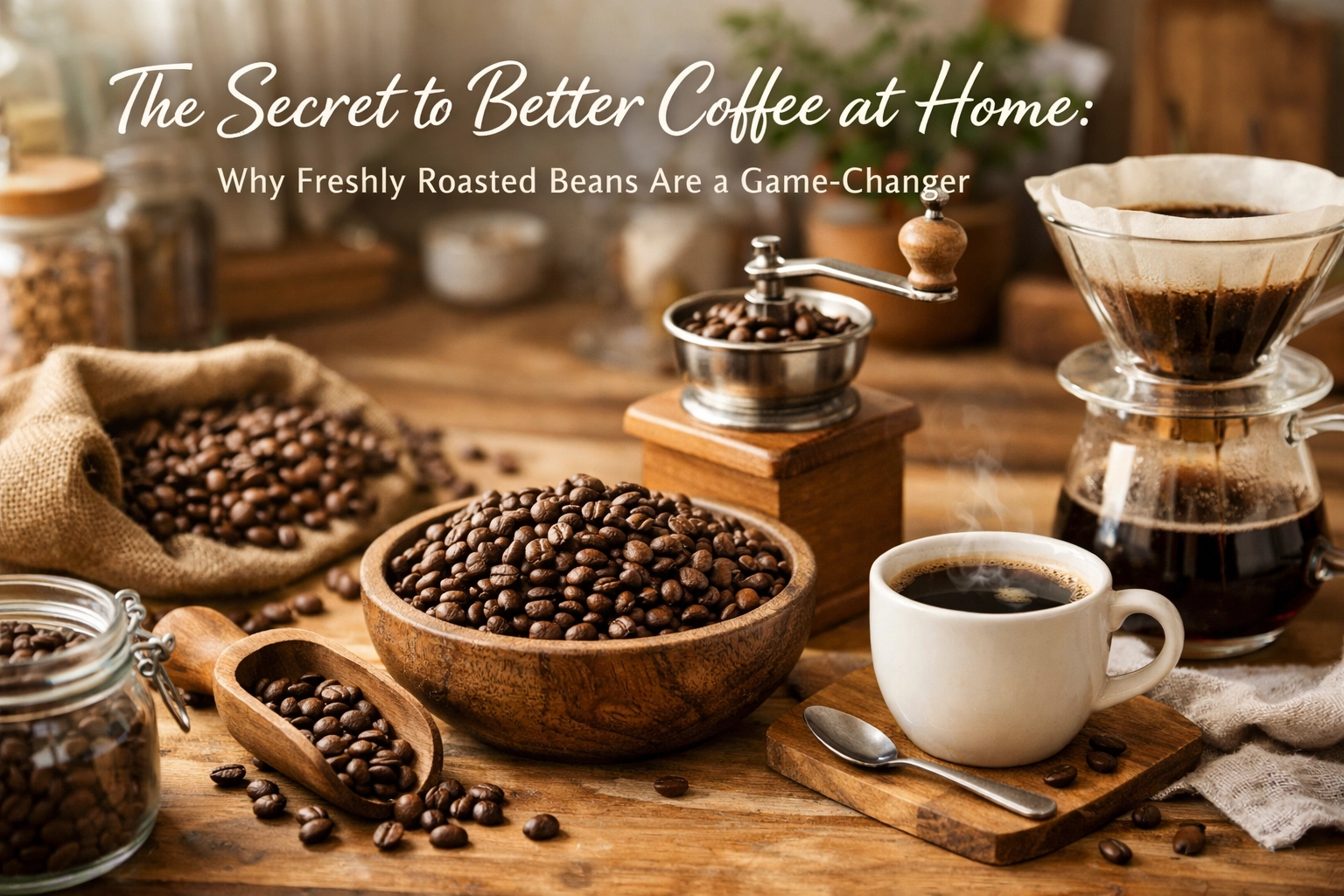
  • The Secret to Better Coffee at Home: Why Freshly Roasted Beans Are a Game-Changer

    The Secret to Better Coffee at Home: Why Freshly Roasted Beans Are a Game-Changer

    Ever wondered why your home coffee doesn't quite hit the same as that cup from your favorite café? You've got the grinder, you've nailed your brew method, and you're using decent beans from the supermarket. So what's missing?

    The answer is simpler than you think: freshness.

    Most coffee sold in supermarkets has been sitting around for months. Sometimes up to a year. And while those vacuum-sealed bags do an okay job of keeping things preserved, they can't stop the inevitable decline that happens the moment coffee is roasted. This is the difference between coffee that's merely "fine" and coffee that makes you pause mid-sip and think, "Okay, this is what I've been missing."

    Let's talk about why freshly roasted beans completely transform your morning ritual.

    What Actually Happens When Coffee Is Roasted

    When green coffee beans hit the roaster, something magical happens. The heat triggers what's called the Maillard reaction – the same chemical process that gives seared steak and fresh-baked bread their incredible aromas. This reaction creates hundreds of volatile compounds that are responsible for everything we love about coffee: the aroma, the complexity, the depth of flavor.

    Freshly roasted coffee beans being poured from a roaster with steam rising

    But here's the thing. Those compounds? They're incredibly delicate. The moment roasting finishes, they begin to evaporate. Coffee oils migrate to the surface of the bean and start oxidizing when exposed to air. The clock starts ticking.

    So when you buy pre-roasted coffee from a supermarket shelf, you're essentially buying beans that have been slowly losing their best qualities for weeks or months. The packaging date you see? That's often when it was packaged, not when it was roasted. And roasting dates can be conspicuously absent.

    The Degassing Period: Fresh Doesn't Mean Immediate

    Interestingly, coffee that's too fresh isn't ideal either. After roasting, beans release carbon dioxide in a process called degassing. This CO2 needs to escape over the first few days, which is why we use bags with one-way valves – they let gas out but don't let oxygen in.

    If you brew coffee that's only hours old, you'll notice the CO2 interferes with extraction, creating uneven brewing and sometimes a slightly harsh, underdeveloped taste. This is why most specialty roasters (ourselves included) recommend a short rest period after roasting.

    But this degassing period is measured in days, not months. Coffee typically hits its peak flavor window around 3-7 days post-roast and maintains excellent quality for 2-4 weeks when stored properly. After that, the decline accelerates noticeably.

    The Flavor Difference You Can Actually Taste

    The gap between fresh specialty coffee and month-old supermarket beans is dramatic. Let's break down what you're actually tasting:

    Fresh roasted beans deliver bold, complex flavors with clarity. You can actually distinguish the tasting notes listed on the bag – whether that's bright citrus, smooth chocolate, or delicate florals. The aroma when you open the bag is intoxicating. When you brew it, your kitchen fills with fragrance. The cup itself has depth and balance, with sweetness, acidity, and body all working together.

    Older beans taste flat and one-dimensional. The oils have oxidized, creating stale, cardboard-like flavors. Bitterness becomes overpowering because it's one of the few taste compounds that doesn't fade quickly. Any subtlety or nuance in the coffee's origin characteristics? Gone. You're left with a generic coffee taste that needs milk and sugar to be palatable.
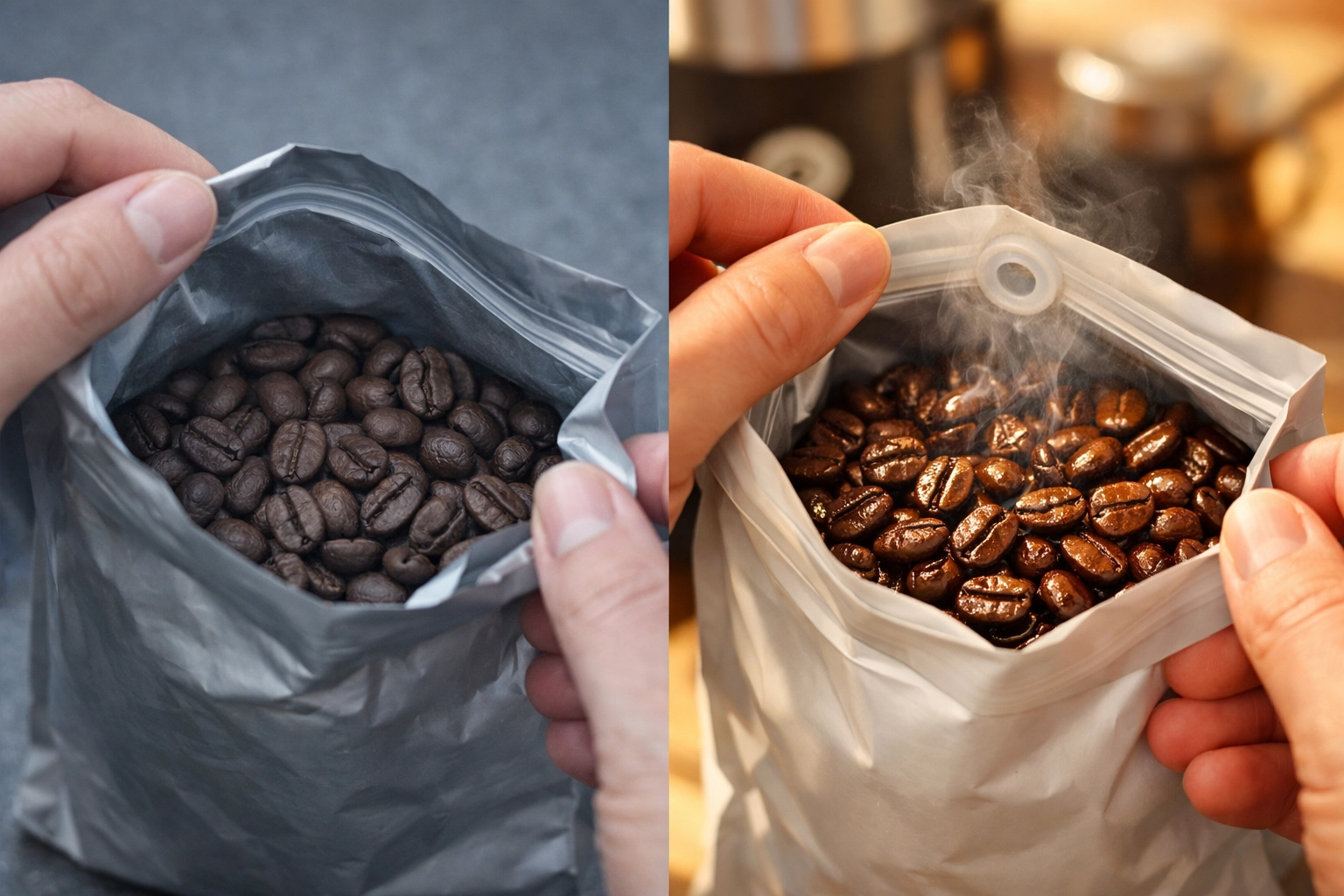
    Comparison of stale supermarket coffee beans versus fresh specialty coffee beans

    It's the difference between eating a tomato fresh from the garden versus one that's been sitting in your fridge for three weeks. Technically still food, but hardly the same experience.

    Health Benefits You're Missing Out On

    Beyond taste, freshness actually affects the nutritional value of your coffee. Fresh roasted beans retain significantly higher concentrations of antioxidants – specifically chlorogenic acids and polyphenols – that degrade over time.

    These antioxidants provide genuine health benefits. They help protect your cells from free radical damage and have been linked to reduced risk of chronic diseases like heart disease, certain cancers, and type 2 diabetes. So when you're drinking stale coffee, you're not just sacrificing flavor – you're getting less of the good stuff.

    Additionally, the caffeine in coffee degrades as beans age. Fresh beans contain more active caffeine, which means better cognitive benefits and that clean energy boost you're drinking coffee for in the first place. If your morning cup isn't delivering the mental clarity it used to, stale beans might be the culprit.

    Why Roasting to Order Changes Everything

    This is where the specialty coffee approach differs fundamentally from commercial production. Large coffee companies roast massive batches, package them, ship them to distribution centers, move them to warehouses, and eventually get them onto supermarket shelves. The entire supply chain is optimized for shelf stability and logistics, not peak flavor.

    At Limini Coffee, we roast to order. This means your beans aren't roasted until you order them. They're roasted, allowed to degas for a couple of days, then shipped directly to you. When that bag arrives at your door, those beans are still in their prime flavor window.

    This is the same approach used by specialty coffee shops and serious home baristas worldwide. It's simply impossible to achieve exceptional coffee any other way. Fresh is best.

    Coffee tasting setup showing fresh and stale beans with different brew colors

    How to Experience the Difference Yourself

    If you've been buying supermarket coffee your whole life, trying freshly roasted specialty beans for the first time is genuinely eye-opening. Here's what we recommend:

    Choose a coffee that sounds appealing to you. If you like bright, fruity flavors, look for light roasts from African origins like Ethiopia or Kenya. If you prefer chocolatey, nutty profiles, try medium roasts from Central or South America. And if you want something bold and rich, go for darker roasts.

    When your beans arrive, store them properly in an airtight container away from light and heat. Don't keep them in the fridge – that introduces moisture and odors that damage the coffee. A cool, dark cupboard works perfectly.

    Grind just before brewing. Pre-ground coffee loses freshness dramatically faster than whole beans because you've massively increased the surface area exposed to air. If you don't have a grinder yet, that's your next upgrade after switching to fresh beans.

    Pay attention to the aroma when you open the bag, when you grind the beans, and when you brew. Notice the clarity of flavors in the cup. The clean finish. The lack of harsh bitterness. This is what coffee is supposed to taste like.

    The Ritual Upgrade You Deserve

    Your morning coffee ritual is one of those daily moments that can be either merely functional or genuinely enjoyable. We spend time choosing our brewing equipment, perfecting our technique, getting the water temperature right. But if we're starting with stale beans, we're building on a flawed foundation.

    Switching to freshly roasted specialty coffee isn't just about better flavor (though that alone would be worth it). It's about respecting the entire chain of effort that brought that coffee to your cup – the farmers who grew it, the importers who sourced it, the roasters who carefully developed each bean's potential. It's about giving yourself something to genuinely look forward to each morning rather than just caffeine delivery.

    Hands grinding fresh coffee beans in a manual grinder for home brewing

    And honestly? Once you experience the difference, going back to supermarket coffee feels impossible. Your taste buds adjust surprisingly quickly to the increased complexity and clarity. What once seemed "good enough" starts tasting like what it actually is – coffee that's past its prime.

    The Two-Week Window

    Most specialty roasters (and we're definitely in this camp) consider coffee to be at its absolute peak in the 2-4 week window after roasting. This is your sweet spot. After about a month, while still drinkable, the decline becomes noticeable. After two months, you're basically drinking supermarket-quality coffee, just more expensive.

    This is why we recommend buying in quantities you'll actually use within a month. For most home drinkers, that's somewhere between 250g and 1kg depending on how much coffee you consume. There's no point buying 5kg at once to "save money" if the last kilogram ends up tasting stale.

    Think of coffee like fresh bread or produce. You wouldn't buy a month's worth of strawberries at once, and the same logic applies here. Fresh, consumed within its prime window, and replaced regularly.

    Making the Switch

    If you've been curious about specialty coffee but weren't sure whether it's worth the slightly higher cost, here's our honest take: the price difference is smaller than you think, especially when you account for what you're actually getting.

    Quality, freshly roasted coffee typically costs £6-£10 per 250g compared to £3-£5 for supermarket equivalents. But you're getting dramatically better flavor, health benefits, and coffee that's properly fresh. When you break it down per cup, you're talking about an extra 20-30p. Less than the difference between a supermarket sandwich and one from a café.

    And that's before considering that many people who drink stale coffee compensate by using more of it to get decent flavor, while fresh coffee delivers at normal doses.

    The reality is that coffee from specialty roasters like us represents genuinely good value when you consider quality per pound. You're not paying extra for marketing or fancy packaging – you're paying for the actual product to be properly fresh and carefully sourced.

    Your Coffee Deserves This

    So here's the thing. If you're already putting effort into your coffee routine – measuring doses, timing extractions, frothing milk – you owe it to yourself to experience what properly fresh beans bring to the equation. It's the single biggest upgrade you can make to your home coffee setup, bigger than any grinder or machine purchase.

    Try it for a month. Get a bag of freshly roasted coffee, brew it properly, and pay attention to what you're tasting. We're confident you'll never want to go back.

    That's the secret to better coffee at home. Not a fancy technique or expensive equipment. Just fresh beans, roasted well, and consumed in their prime. Simple as that.


  • The Solopreneur’s Secret Weapon: Why You Don’t Need a 10-Person Team to Scale

    The Solopreneur’s Secret Weapon: Why You Don’t Need a 10-Person Team to Scale

    You wear your busy schedule like a badge of honor.

    Fourteen-hour days. Back-to-back calls. Inbox that never gets to zero. You're hustling, grinding, proving your dedication to anyone who'll listen.

    But here's the uncomfortable truth: being busy isn't the same as growing.

    You're running faster and faster on a treadmill that's going nowhere. Your revenue might be climbing, but so is your workload. Every new client means more chaos. Every win means more tasks fighting for your attention.

    And somewhere in the back of your mind, there's this nagging thought: To scale this thing, I'm going to need to hire people.

    A virtual assistant. Then a project manager. Maybe a customer service rep. Before you know it, you're picturing a 10-person team, HR headaches, and overhead costs that make your stomach turn.

    Solopreneur using AI business automation to handle tasks without hiring a team

    The Trap Every Solopreneur Falls Into

    Here's what happens when you think scaling means hiring:

    You spend hours writing job descriptions. Weeks interviewing candidates. Months training someone to do things "your way." And just when they're finally getting it… they quit. Or they're not quite right. Or managing them takes more time than doing it yourself ever did.

    Meanwhile, your competitors are pulling ahead. Not because they hired faster. But because they figured out something you haven't yet.

    They replaced people with systems.

    The New Scaling Playbook: Technology Over Team

    The solopreneurs crushing it right now aren't building massive teams. They're building smart systems.

    They've figured out that you don't need a person to:

    • Answer the same customer questions over and over
    • Schedule appointments and send reminders
    • Follow up with leads who ghosted you
    • Draft proposals and contracts
    • Organize your project files
    • Track your finances
    • Post on social media

    You need automation.

    Think about it. Every time you hire someone, you're paying them 40 hours a week: whether they're busy or not. Every time you build a system, it works 24/7 without asking for raises, vacation days, or "quick clarification."

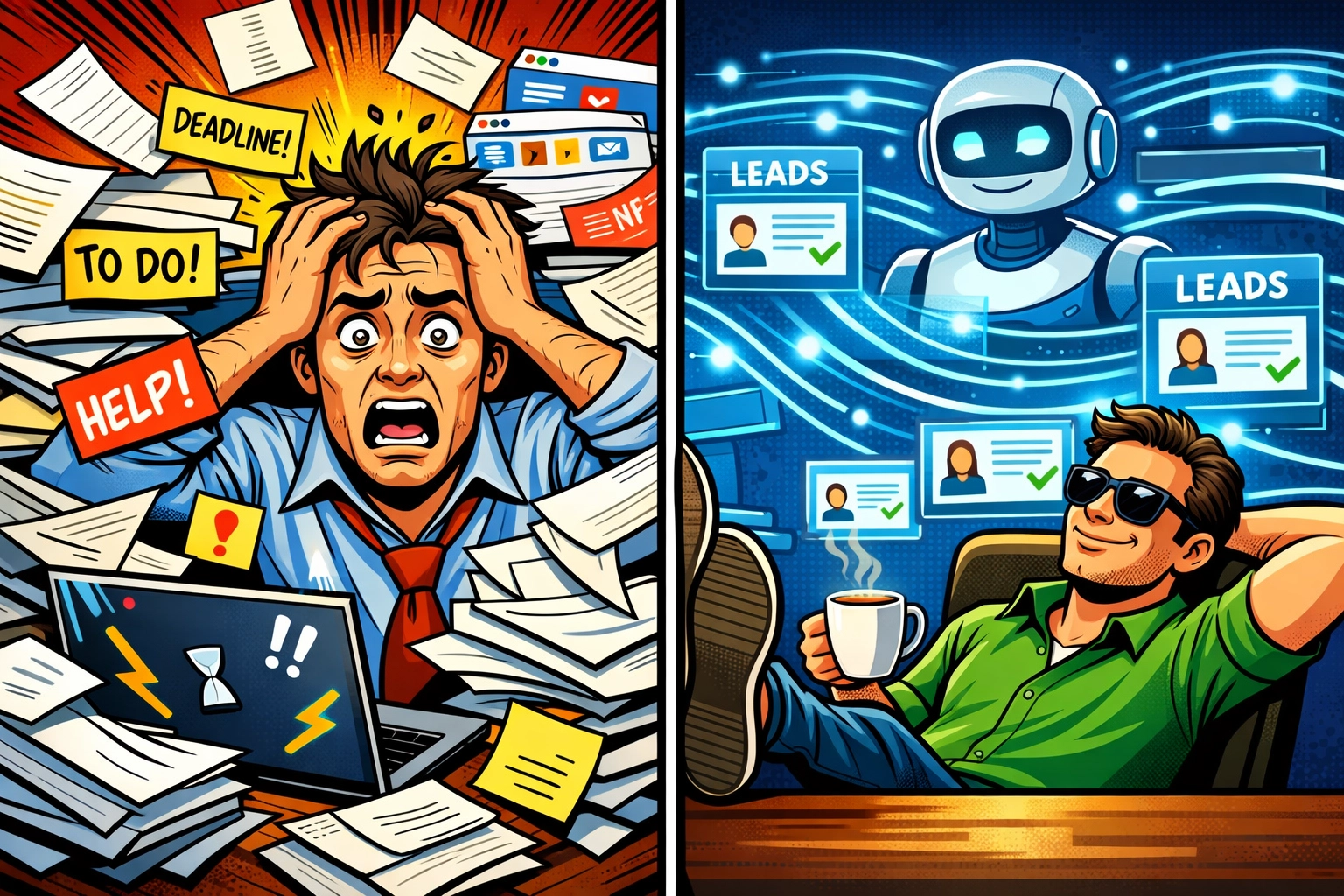
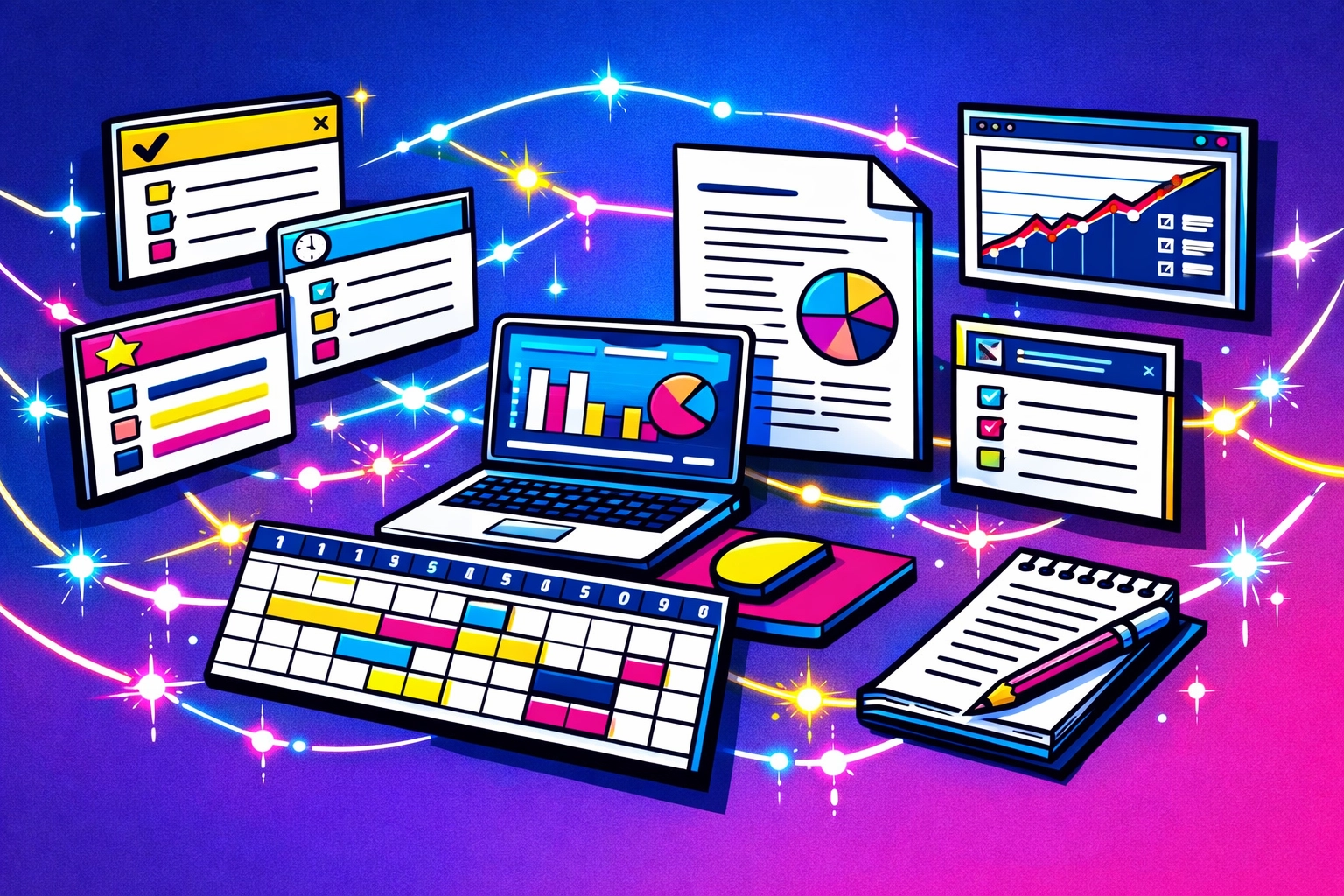
    Business chaos versus organized automation systems for scaling without hiring

    What Scaling Actually Looks Like (Without the Hiring Nightmare)

    Let's paint a picture.

    7:00 AM
    You wake up. Your AI assistant has already handled the overnight customer inquiries. Three new leads filled out your contact form while you were sleeping, and they've each received personalized welcome emails with your calendar link.

    The chaos is handled before your first sip of coffee.

    10:00 AM
    A client emails asking about the status of their project. Instead of digging through Slack threads and trying to remember where you left off, you pull up your project management dashboard. Everything's documented. The timeline's clear. You send a quick update in two minutes.

    No scrambling. No searching.

    2:00 PM
    Your CRM sends automated follow-ups to three prospects who went quiet last week. One of them responds immediately: they were just waiting for the right moment. Your system kept you top of mind without you lifting a finger.

    You smile. That's revenue you didn't have to chase down manually.

    6:00 PM 🌙
    You wrap up your work. Actually wrap up. No "just one more thing" that turns into three hours. Your systems are humming along. Your marketing automation is nurturing leads. Your scheduling software is booking tomorrow's calls.

    You're scaling… while you wind down.

    The Three Pillars of Solo Scaling

    Here's how you build a business that grows without turning into a hiring nightmare:

    1. Document Everything (Even If It Feels Tedious)

    Every time you do something twice, write down how you did it. Create templates. Build checklists. Record loom videos of your process.

    This isn't busywork. This is your blueprint for automation. You can't systematize something that only exists in your head.

    2. Let Technology Handle the Repetitive Stuff

    Instead of hiring a person at $40K+ per year to manage your calendar, use scheduling software. Instead of bringing on a social media manager, use content scheduling tools and AI to draft posts.

    The tech stack costs you hundreds per month, not thousands. And it never calls in sick.

    3. Outsource Strategically, Don't Hire Permanently

    When you do need human help, think freelancers and specialists: not full-time employees. Need your books done? Hire an accountant for a few hours a month. Need graphics designed? Work with a designer on a project basis.

    You pay for results, not hours. You scale up or down without severance packages and awkward conversations.

    Automated business systems completing tasks for solopreneur productivity

    The Revenue Secret Nobody Talks About

    Here's where it gets really interesting.

    The most successful solopreneurs don't just replace tasks with automation. They multiply their revenue without multiplying their time.

    How? Digital products.

    You take that knowledge in your head: the stuff clients pay you $5,000 for: and you package it. An online course. A template library. A membership site. A productized service.

    Suddenly, you're earning while you sleep. You're serving 100 clients with the same effort it used to take to serve one.

    Your income isn't capped by your hours anymore. And you didn't hire a single person to make it happen.

    What About Customer Service? Won't It Suffer?

    This is the fear, right? That automation means losing the human touch.

    But here's the truth: your customers don't want you to answer every single email. They want fast, helpful responses and solutions that actually work.

    An AI assistant that answers their question in 30 seconds? That's better customer service than you responding six hours later because you were stuck in meetings all day.

    Automated onboarding that walks them through everything they need to know? That's better than a chaotic kickoff call where you forget half the important details.

    Systems don't replace the human touch. They protect it. They handle the routine stuff so you can be fully present for the conversations that actually matter.

    Solopreneur scaling business with automated systems and digital tools

    The "Busy" Badge Needs to Go

    Let's circle back to where we started.

    Being busy used to mean you were important. Needed. Valuable.

    Now? It just means you haven't figured out systems yet.

    The solopreneurs who are truly winning aren't bragging about their 80-hour weeks. They're quietly building businesses that run whether they're working or not. They're automating the chaos. They're scaling revenue without scaling stress.

    They've realized that growth isn't about working harder. It's about working smarter with the right tools doing the heavy lifting.

    Your Business Doesn't Need More People. It Needs Better Systems.

    You can keep doing things the hard way. Keep wearing your exhaustion like a trophy. Keep telling yourself that "someday" when you have more time and money, you'll build the systems you need.

    Or you can start now.

    Marblism helps solopreneurs like you build AI-powered business systems without the complexity, the massive team, or the headaches. The kind of automation that actually works: handling customer interactions, managing workflows, and scaling your operations while you focus on the work that matters.

    Ready to see what scaling without hiring actually looks like? Check out how Marblism can transform your solo operation into a streamlined, automated business machine.

    Because here's the thing: the solopreneurs crushing it in 2026 aren't the ones with the biggest teams.

    They're the ones with the smartest systems.

    And they're sleeping better at night.

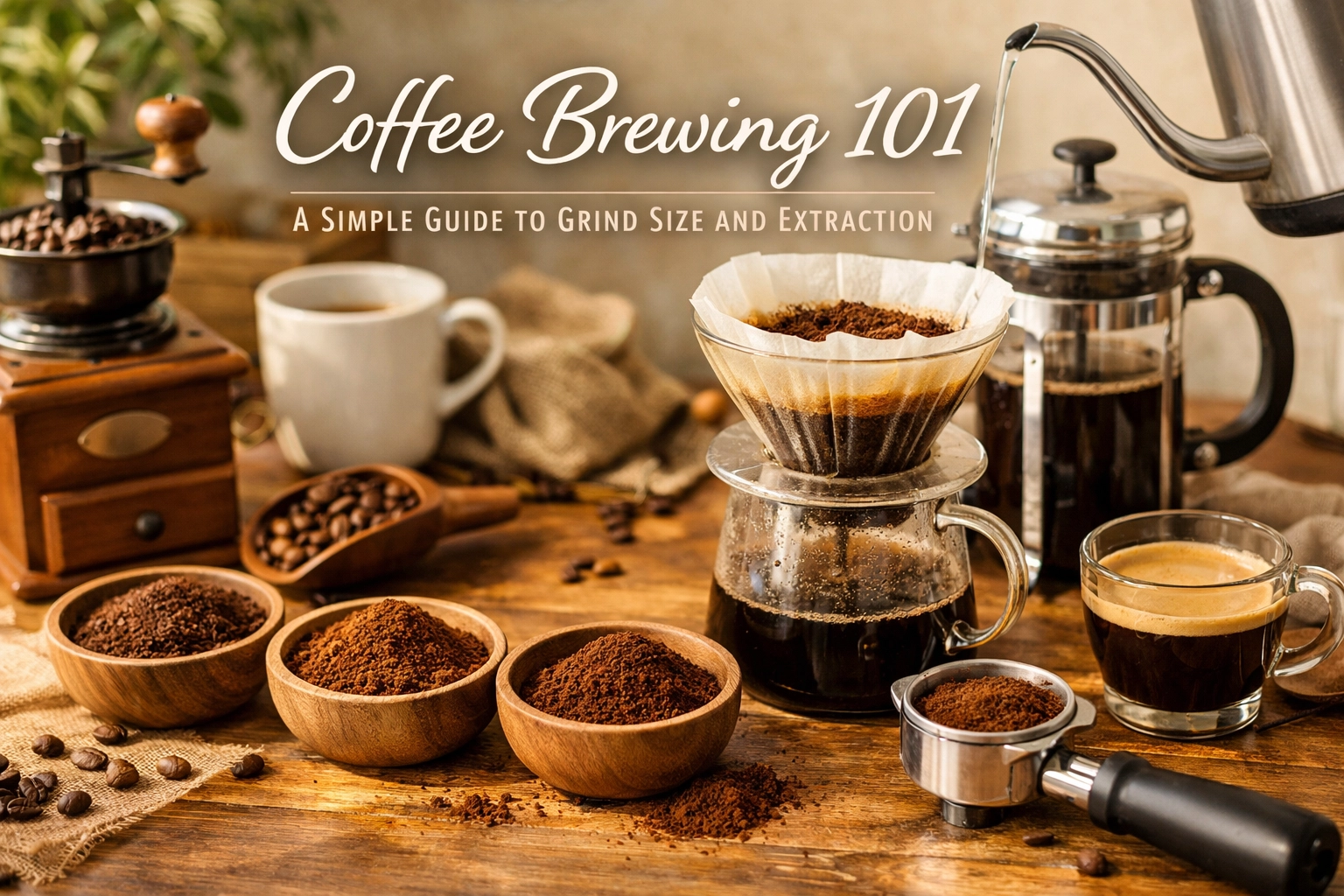
  • Coffee Brewing 101: A Simple Guide to Grind Size and Extraction

    Coffee Brewing 101: A Simple Guide to Grind Size and Extraction

    You've got great beans. You've got clean water. You've even got a decent brewing setup at home. So why does your coffee sometimes taste sour and weak, or bitter and harsh?

    The answer, more often than not, comes down to one thing: grind size.

    It's the single most important variable in coffee brewing that home enthusiasts overlook. And once you understand how it works, everything else starts to click into place.

    Why Grind Size Matters More Than You Think

    Here's the thing about coffee extraction: it's all about surface area and time.

    When you grind coffee, you're breaking down those beans into smaller pieces, dramatically increasing the surface area that water can interact with. The finer you grind, the more surface area you expose. The more surface area exposed, the faster water extracts flavors, oils, and compounds from the coffee.

    This means grind size directly controls how quickly your coffee extracts.

    Grind too coarse for your brewing method? Water rushes through too quickly, under-extracting your coffee and leaving you with sour, weak, tea-like flavors. Grind too fine? Water moves through too slowly, over-extracting and pulling out harsh, bitter compounds that make you wince.

    The goal is finding that sweet spot where water flows through at just the right speed for your particular brewing method.

    Three coffee grind sizes compared: coarse, medium, and fine grinds for different brewing methods

    The Extraction Timeline: What's Actually Happening

    When hot water hits coffee grounds, extraction happens in stages.

    First come the acids and lighter, brighter flavors – these extract quickly and easily. Then come the sugars and body – the sweetness and mouthfeel that make coffee delicious. Finally, if water hangs around too long, you start pulling out bitter tannins and astringent compounds.

    Good coffee brewing is about getting stages one and two without too much of stage three.

    And grind size is your primary tool for controlling that timeline.

    Matching Grind Size to Your Brewing Method

    Different brewing methods require different grind sizes because they expose coffee to water for vastly different amounts of time.

    French Press / Immersion Methods: Coarse Grind

    French press coffee sits in water for 4 minutes or more. That's a long contact time. So you need a coarse grind – think the texture of kosher salt or cracked peppercorns.

    This coarse grind slows down extraction, preventing over-extraction during that extended steep time. It also makes pressing down the plunger easier and keeps sediment out of your cup (mostly).

    Pour-Over / Drip Machine: Medium Grind

    Pour-over and auto-drip methods typically take 3-4 minutes for water to pass through the grounds. That's medium contact time, so you want medium grind.

    This is roughly the texture of sand, or what you'd find in pre-ground supermarket coffee (though we wouldn't recommend using pre-ground if you can avoid it). The grind should feel slightly gritty between your fingers but not powdery.

    French press with blooming coffee grounds on kitchen counter with whole beans

    Espresso: Fine Grind

    Espresso extraction happens fast – we're talking 25-30 seconds. Water is forced through tightly packed coffee under 9 BAR of pressure.

    You need a fine grind, almost powder-like, to create enough resistance for proper extraction in that short window. Too coarse and your espresso will gush through in 10 seconds, tasting sour and thin. Too fine and it'll barely drip, tasting ashy and over-extracted.

    Espresso grind adjustment is its own art form, honestly. Tiny changes make massive differences.

    The Grinder Question: Burr vs. Blade

    Here's where we need to talk about your grinder, because grind size alone isn't enough.

    Consistency matters just as much as size.

    A blade grinder – the kind with spinning blades that chop beans – produces wildly inconsistent particle sizes. You get some powder, some chunks, and everything in between. This means some coffee over-extracts while other bits under-extract, and you end up with muddled, confusing flavors.

    A burr grinder crushes beans between two surfaces, producing uniform particle size. Every piece of coffee is roughly the same dimension, so they all extract at the same rate. This gives you clarity and balance in the cup.

    We believe burr grinders are essential for anyone serious about their home brewing. The difference is immediately noticeable.

    Beyond Grind Size: The Other Critical Variables

    Grind size is king, but it doesn't rule alone. You need to dial in these other factors too.

    Water Temperature: 90-96°C (195-205°F)

    Too hot and you'll over-extract, pulling out bitter compounds regardless of grind size. Too cool and extraction stalls, leaving you with sour, underdeveloped coffee.

    Most brewing methods work best in that 90-96°C range. If you're boiling water in a kettle, let it sit for 30 seconds after boiling before pouring.

    Burr grinder mechanism grinding fresh coffee beans for consistent particle size

    Brew Ratio: Starting Point

    We recommend starting with a 1:16 ratio by weight – that's 1 gram of coffee for every 16 grams of water. So for a 250ml cup, you'd use roughly 15-16 grams of coffee.

    If you don't have a scale (though you really should get one), that's approximately 2 tablespoons of coffee per 6 oz of water.

    This gives you a balanced baseline. From there, adjust to taste. Like it stronger? Go 1:15. Prefer it lighter? Try 1:17.

    The Bloom: Don't Skip This Step

    For pour-over and French press methods, always bloom your coffee.

    Pour just enough hot water to saturate the grounds – usually about twice the weight of your coffee dose. So for 15 grams of coffee, pour 30 grams of water. Let it sit for 30 seconds.

    This releases trapped CO2 gas that can block water from extracting evenly.

    You'll see the grounds bubble and expand. That's the CO2 escaping. Once it subsides, continue with your brew. This one simple step dramatically improves flavor clarity.

    Grind Fresh, Brew Fresh

    Coffee starts losing flavor the moment you grind it. Those aromatic compounds that make coffee smell amazing? They're volatile and dissipate quickly once exposed to air.

    Grind immediately before brewing. Always.

    And if you're ordering coffee online, make sure it's freshly roasted. We roast to order at Limini Coffee specifically because freshness makes that much difference. Coffee is best consumed within 2-4 weeks of roasting, and grinding fresh from whole beans preserves those flavors right up until they hit your cup.

    Troubleshooting Common Grind Size Issues

    My Coffee Tastes Sour and Weak

    This is under-extraction. Your grind is likely too coarse for your brewing method, or your water temperature is too low, or you're not brewing long enough.

    Solution: Grind finer. Increase water temperature. Or extend brew time.

    My Coffee Tastes Bitter and Harsh

    This is over-extraction. Your grind is probably too fine, or water temperature is too high, or you're brewing too long.

    Solution: Grind coarser. Lower water temperature slightly. Or reduce brew time.

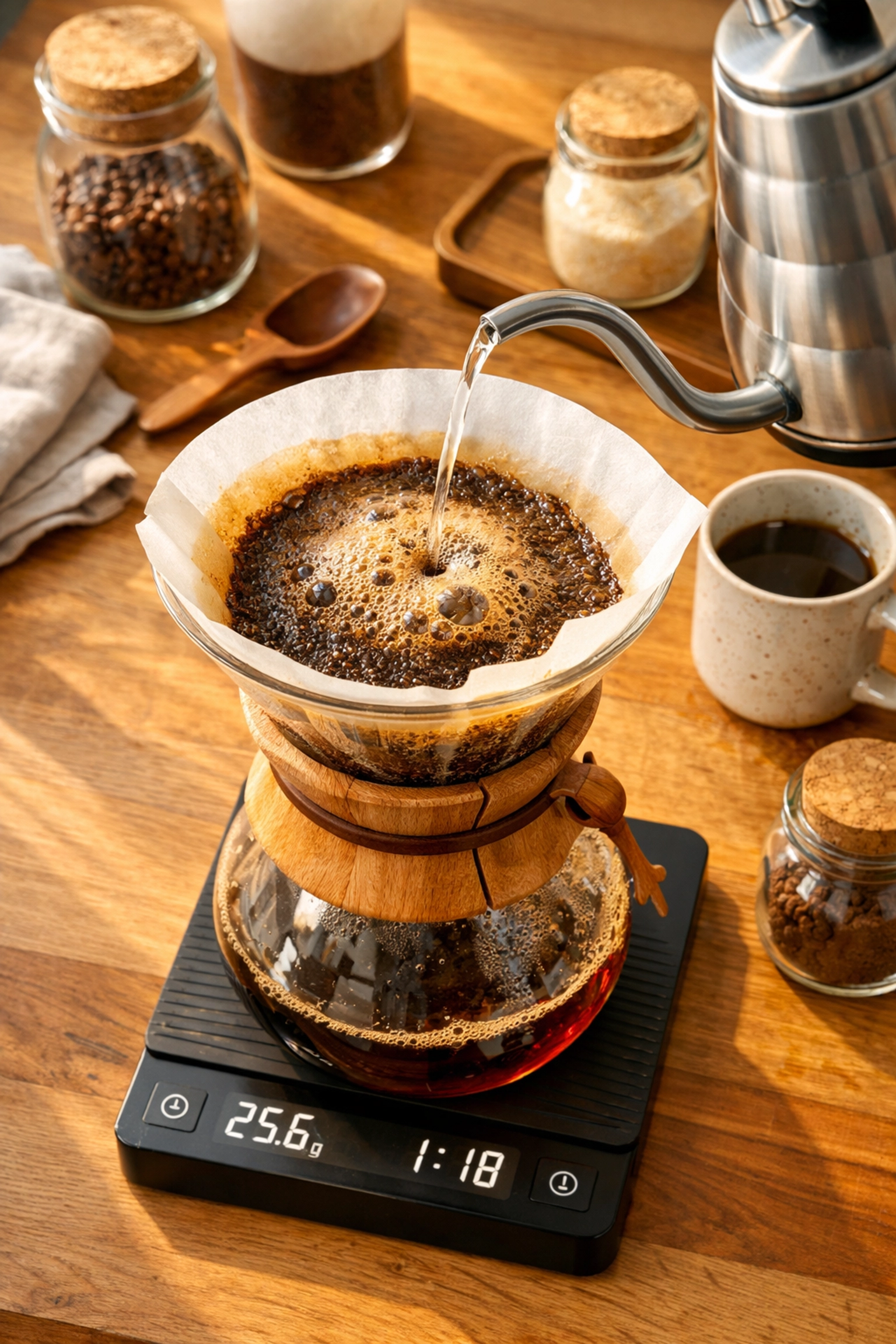
    Home pour-over coffee setup with blooming grounds, gooseneck kettle, and brewing scale

    My Coffee Tastes Flat or Muddy

    This often means inconsistent grind size. You're getting simultaneous under-extraction and over-extraction from different-sized particles.

    Solution: Upgrade to a burr grinder. Seriously, this will solve it.

    Practical Tips for Home Brewers

    Start with a baseline and adjust from there. Pick a grind size appropriate for your method, use the 1:16 ratio, brew at 93°C, and taste. Then change one variable at a time until you hit that sweet spot.

    Keep notes. It sounds tedious, but jotting down your grind setting, ratio, and how it tasted helps you dial in faster and replicate success.

    Clean your grinder regularly. Old coffee oils turn rancid and affect flavor. A quick brush-out every few days keeps things fresh.

    Taste mindfully. Pay attention to whether coffee tastes sour, bitter, balanced, sweet, or flat. Your palate is the ultimate feedback tool.

    The Beauty of Dialing In

    Here's what we love about understanding grind size and extraction: it transforms coffee brewing from guesswork into a craft you control.

    You're not at the mercy of random results anymore. You can taste your coffee, identify what's off, and know exactly which dial to turn. Too sour? Grind finer. Too bitter? Grind coarser. It becomes intuitive.

    And once you've got the fundamentals down, you can start exploring more advanced techniques – adjusting variables to highlight specific flavor notes, experimenting with different origins, or pushing extraction boundaries intentionally.

    That is the beauty of coffee. There's always another layer to discover.

    But it all starts here, with understanding how those little grounds interact with water. Master this, and everything else follows naturally.

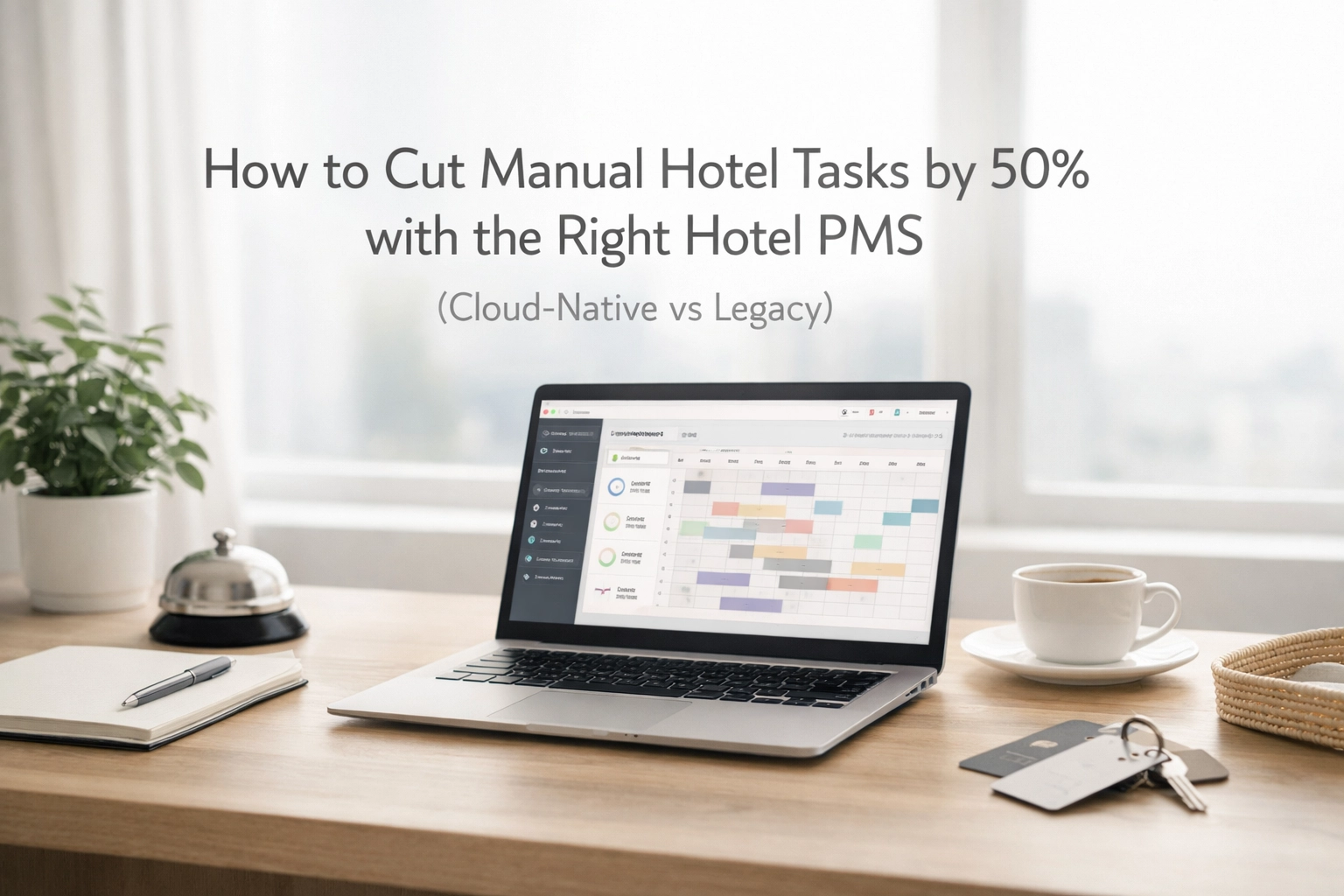
  • How to Cut Manual Hotel Tasks by 50% with the Right Hotel PMS (Cloud-Native vs Legacy)

    How to Cut Manual Hotel Tasks by 50% with the Right Hotel PMS (Cloud-Native vs Legacy)

    Your front desk team is drowning in spreadsheets. Your housekeeping staff is chasing down room statuses. Your night auditor is manually reconciling payments until 3 AM.

    Sound familiar?

    Here's the thing, 63.5% of that manual work could disappear with the right hotel PMS. Not "could maybe possibly help a little." Actually vanish.

    The difference? Cloud-native architecture versus legacy systems built in the early 2000s that were never meant to handle modern hotel operations.

    The Real Cost of Manual Tasks

    Every manual task in your hotel costs you three things: time, money, and guest experience.

    Let's talk numbers. The average hotel wastes 16 hours per employee per week on tasks that could be automated. That's two full workdays. Multiply that across your entire team, and you're looking at dozens of hours weekly that could be spent on actual hospitality, not data entry.

    Manual reservation processing. Double-checking channel manager updates. Chasing payments. Updating housekeeping boards. Printing folios. Re-entering guest information across multiple systems.

    All of it adds up. And all of it is unnecessary with a modern hotel PMS.

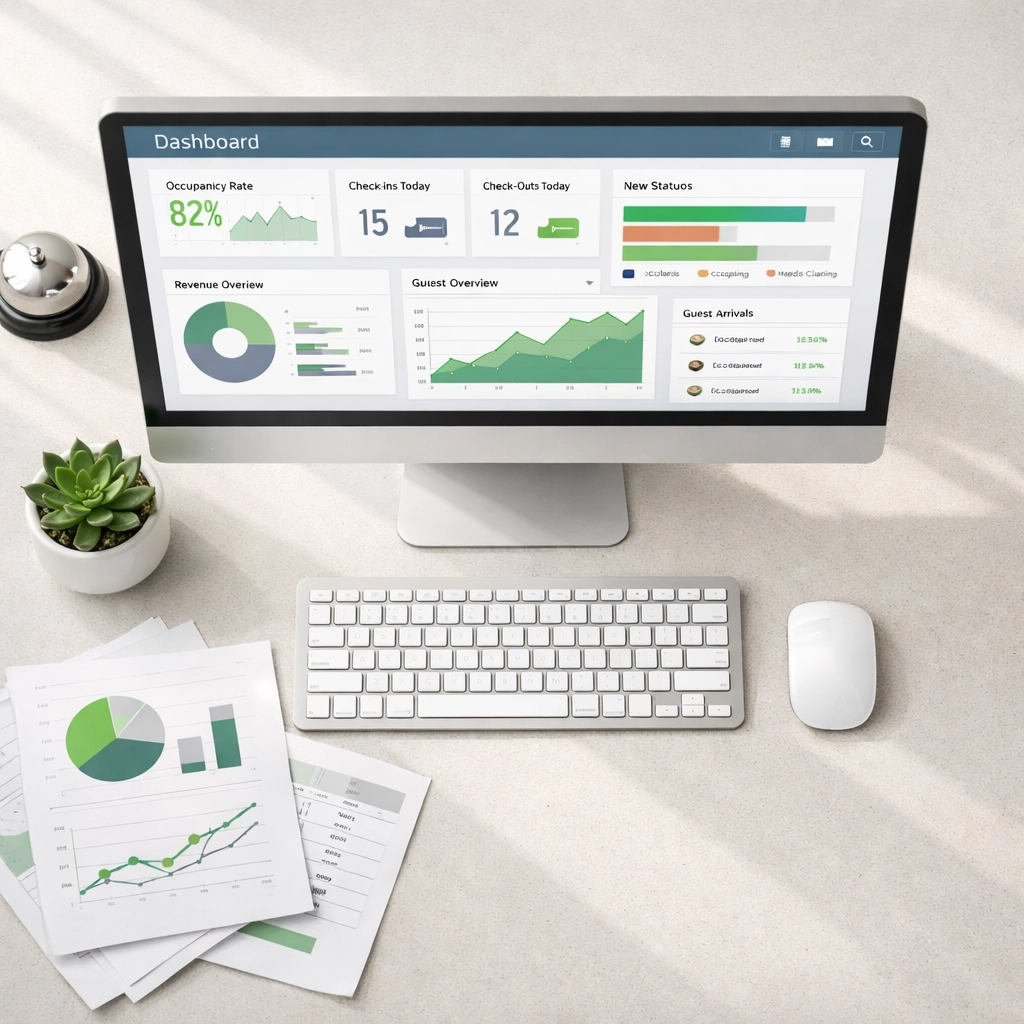
    Modern hotel PMS dashboard on front desk showing automated task management and efficiency tracking

    Cloud-Native vs Legacy: What's Actually Different?

    Legacy systems weren't built for automation. They were built for record-keeping.

    Cloud-native systems were designed from the ground up to eliminate manual work through intelligent automation and real-time connectivity.

    Legacy PMS Systems:

    • Require manual updates between modules
    • Store data in isolated silos
    • Need IT staff for maintenance and updates
    • Force you to train staff on complicated interfaces
    • Crash during peak check-in times

    Cloud-Native PMS Systems:

    • Sync automatically across all tools in real-time
    • Connect your booking engine, channel manager, CRM, and operations seamlessly
    • Update instantly without downtime
    • Work from any device, anywhere
    • Scale with demand during busy periods

    The architecture matters. Legacy systems treat automation as an add-on. Cloud-native platforms build it into every function.

    Where Automation Actually Cuts Manual Work

    Let's get specific about where you'll see that 50% reduction.

    Reservations and Bookings

    Your booking engine connects directly to your PMS. No manual entry. A guest books online at 2 AM, the reservation flows automatically into your system, updates room availability across all channels, and triggers a confirmation email.

    Properties using integrated booking systems see a 25% increase in bookings simply by eliminating the friction of manual processing. Guests can book faster. Your team isn't stuck entering reservations one by one.

    No double-bookings. No missed revenue. No guests arriving to "We don't have your reservation."

    Side-by-side comparison of cluttered legacy hotel system versus clean cloud-native PMS interface

    Channel Management

    Remember logging into five different OTA extranets to update rates and availability? That's over.

    A proper channel manager integrated with your cloud-native PMS updates all channels simultaneously. You change a rate once: it pushes everywhere instantly.

    One hotel reported saving their revenue manager 12 hours weekly just by eliminating manual rate updates. That's 624 hours annually. More than a full-time employee's worth of work, gone.

    Payment Processing and Billing

    Automated payment processing removes the entire manual reconciliation nightmare. Payments post automatically. Invoices generate without touching a keyboard. No more night audit spreadsheet marathons.

    The average property saves 16 hours per week per employee through payment automation alone. Think about what your team could do with that time back.

    Housekeeping Operations

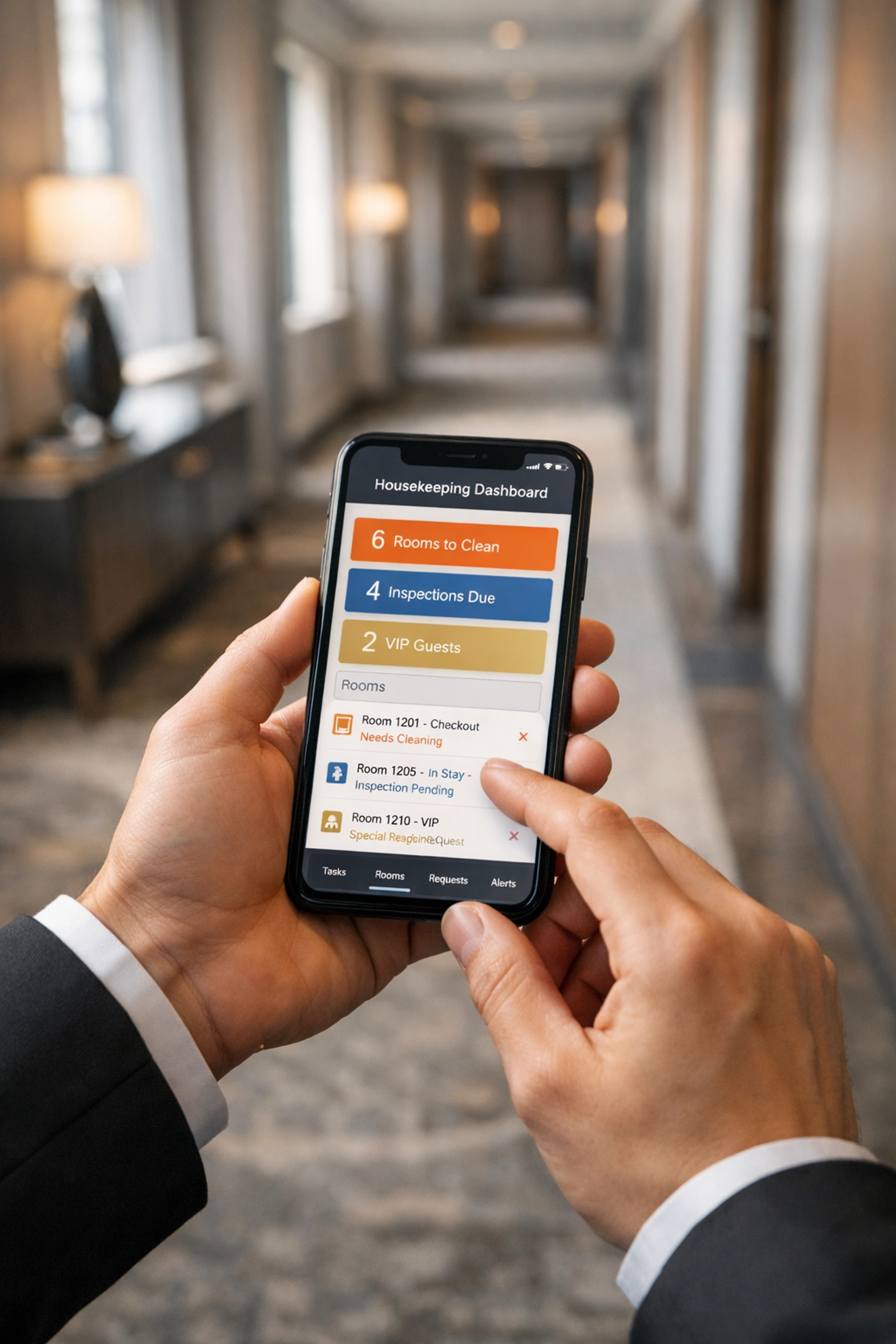
    Real-time room status updates change everything. When a guest checks out, housekeeping sees it immediately on their mobile device. When a room is cleaned, the front desk knows instantly.

    No more radio calls. No more whiteboard updates. No more guests waiting in the lobby because "we thought that room was still dirty."

    Guest wait times drop. Staff coordination improves. Everyone knows the actual status of every room, always.

    Hotel housekeeper using smartphone app for real-time room status updates in corridor

    Guest Communication and CRM

    Your CRM should work for you, not create more work. Pre-arrival emails, upsell offers, post-stay feedback requests: all triggered automatically based on guest journey stages.

    Personalized without being manual. Relevant without requiring staff to remember every guest preference.

    One property manager told us: "We went from spending 10 hours a week on guest emails to maybe 30 minutes checking automated campaigns. The guests get better communication, and my team gets their evenings back."

    Staff Onboarding and Training

    Here's one people don't talk about enough: training new staff on legacy systems takes forever. Complicated interfaces, weird workarounds, undocumented processes.

    Cloud-native systems cut training time by 50% because they're actually intuitive. Your new front desk agent can learn the system in a day, not a week.

    Less training time means faster onboarding, which means you're not short-staffed as long when someone leaves.

    Self-Service Changes Everything

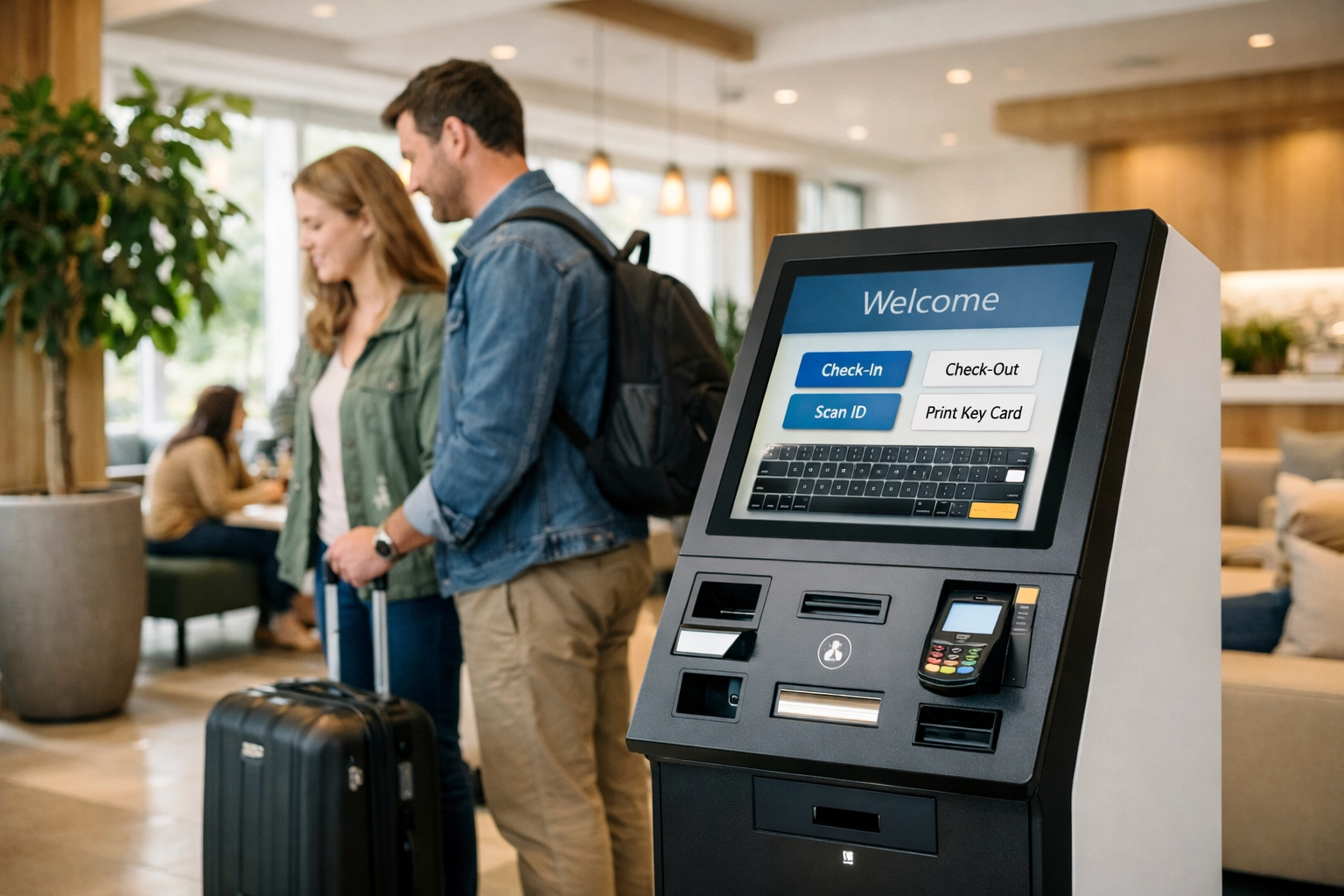
    Self-check-in kiosks represent the ultimate manual task reduction. Guests check themselves in. They select their room. They get their key. Your front desk handles exceptions and hospitality, not transactions.

    Properties using self-service check-in reduce front desk transaction time by up to 70%. During peak arrivals, that's the difference between a calm lobby and complete chaos.

    Guests arriving at midnight don't need to wake up a staff member. Business travelers can check in during their Uber ride from the airport. Families can take their time without holding up a queue.

    You still have staff available for guests who need help. But the routine transactions? Automated.

    Self-check-in kiosk in modern hotel lobby enabling automated guest check-in process

    The Numbers Don't Lie

    Let's bring it all together with real impact:

    • 63.5% increase in overall operational efficiency
    • 25% more bookings through integrated booking engines
    • 16 hours saved per employee weekly through payment automation
    • 50% reduction in staff training time
    • 90% fewer no-shows through automated confirmations and reminders

    That's not theory. That's what happens when you replace manual processes with intelligent automation.

    Making the Switch

    Moving from a legacy system to cloud-native doesn't mean months of downtime and chaos. Modern platforms like Mews handle migration smoothly: your data transfers, your staff gets trained, and you're live faster than you think.

    The process looks like this:

    1. Data migration: Your existing reservations, guest profiles, and historical data move automatically
    2. Team training: Intuitive interfaces mean days, not weeks, of training
    3. Integration setup: Connect your booking engine, channel manager, and payment processor
    4. Go live: Start cutting manual tasks immediately

    Most properties are fully operational on a new system within 2-4 weeks. Compare that to the years you'll spend doing manual work on your current legacy system.

    Hotel manager reviewing operational efficiency data on cloud-based PMS platform

    The Cloud-Native Difference

    Here's what we believe: Hotel technology should eliminate work, not create it. Systems should be so intuitive that training takes hours, not weeks. Automation should be built-in, not bolted on.

    That's why Mews built a cloud-native hotel PMS from scratch. No legacy code. No complicated workarounds. Just a platform designed for modern hoteliers who want to focus on hospitality, not manual tasks.

    Every function connects automatically. Your booking engine, channel manager, CRM, payment processing, and housekeeping operations work together seamlessly. Updates happen in real-time across every device.

    The result? Manual tasks cut by 50% or more. Teams working on guest experience instead of spreadsheets. Properties operating efficiently even during peak periods.

    Ready to see what actual automation looks like? Check out Mews and discover how cloud-native technology eliminates the manual work holding your property back.

    Your team deserves better than endless data entry. Your guests deserve better than "the system is slow." And your property deserves technology that actually works the way hotels operate today.

  • Your Quick-Start Guide to AI Business Automation: Do This First (Not That)

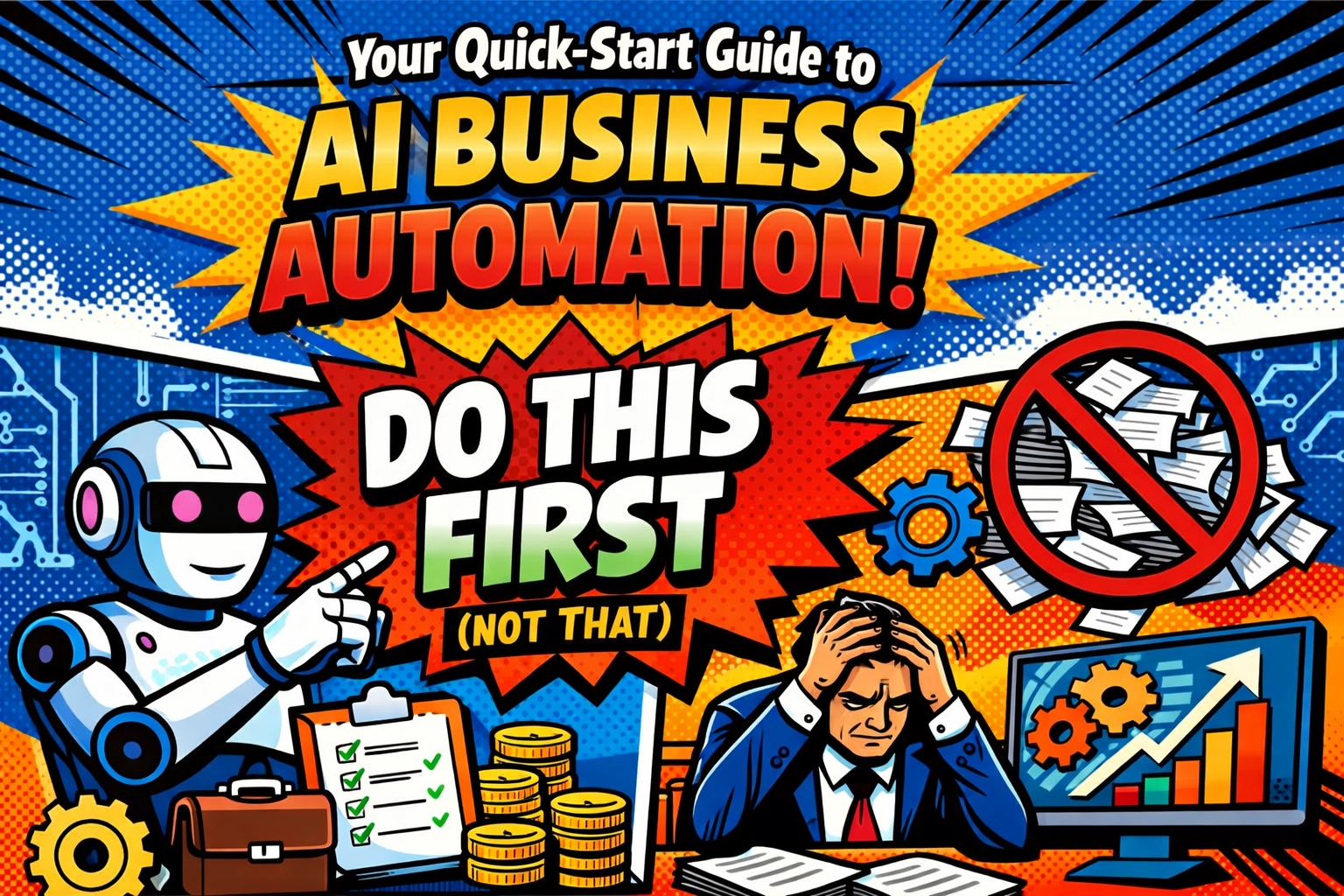
    Your Quick-Start Guide to AI Business Automation: Do This First (Not That)

    You've decided to finally dive into AI business automation.

    Smart move. Except… where do you even start?

    You're staring at a wall of AI tools. Chatbots. Workflow automation platforms. Lead generation software. Everyone's promising to "revolutionize your business" and "10x your productivity." Your LinkedIn feed is full of people claiming they automated their entire company over a weekend.

    So you pick the shiniest tool with the best marketing. You sign up. You click around for twenty minutes. And then… nothing happens.

    Because here's what nobody tells you: 95% of AI automation initiatives deliver zero ROI. Not because the tools are bad. But because people are doing it backward.

    Let me show you the right way.

    THE BIGGEST MISTAKE (STOP DOING THIS)

    You're tool-shopping before you know what problem you're solving.

    It's like buying a sports car before you know where you need to drive. Sure, it's fast and impressive. But if you just need to haul lumber across town, you've got the wrong vehicle.

    Here's the painful truth: Chasing tools instead of fixing processes is why your last three "game-changing" software purchases are collecting digital dust right now.

    The AI tool won't magically organize your chaos. It'll just automate your chaos faster.

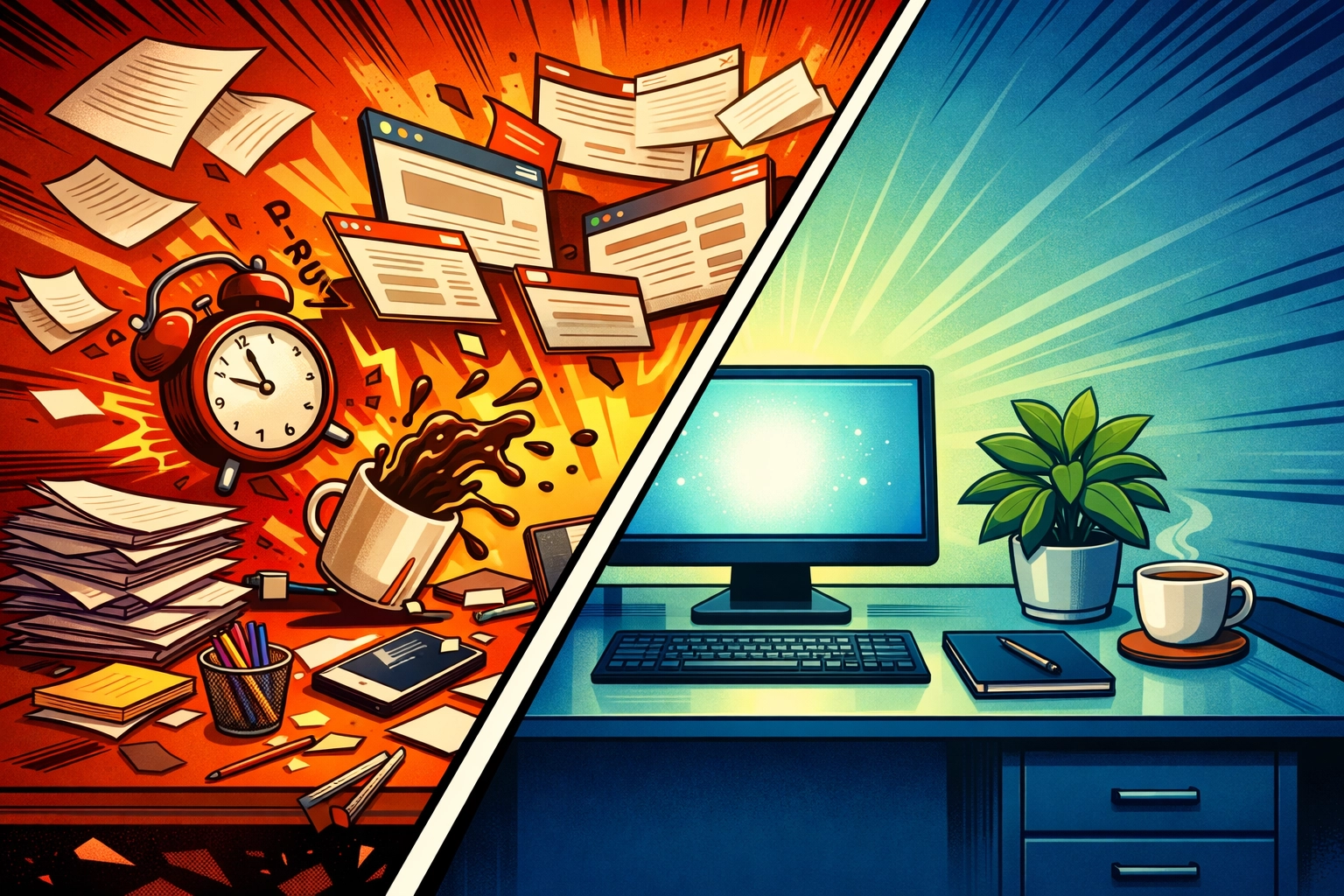
    Chaotic desk versus organized workspace showing proper business automation workflow

    WHAT TO DO INSTEAD: START WITH YOUR MESS

    Before you touch a single AI business automation tool, you need to audit your workflows.

    I know. Boring. Unsexy. Not as fun as playing with ChatGPT integrations.

    But here's what happens when you skip this step: You automate the wrong things. You create new bottlenecks. You confuse your team. And six months later, you're back to doing everything manually because "the AI didn't work."

    Here's your actual first step:

    Spend two days documenting what you actually do. Not what you think you do. What you actually do.

    Track it. Every repetitive task. Every email you send five times a day. Every spreadsheet you update. Every customer question you answer on repeat. Every invoice you manually create. Every follow-up you forget to send.

    Write it down.

    Then ask yourself: "Which of these tasks eats the most time for the least value?"

    That's where you start. Not with the flashiest tool. With your biggest pain point.

    THE PILOT PROJECT APPROACH (YOUR SAFETY NET)

    Don't implement AI automation all at once.

    Seriously. Don't.

    I know you're excited. I know you want to automate everything yesterday. But here's what happens when you go all-in on day one: Your team panics. Systems clash. Nothing integrates properly. You spend more time troubleshooting than you saved in automation.

    Start small. Test. Learn. Then scale.

    Pick ONE repetitive process. Maybe it's lead qualification. Or customer support responses. Or appointment scheduling. Something with clear inputs, clear outputs, and measurable time savings.

    Test the technology in a controlled environment. Track actual metrics:

    • How much time did it save?
    • How many errors did it reduce?
    • Did it actually solve the problem or just move it somewhere else?

    Give it two weeks. If it works? Great. Scale it. If it doesn't? You just saved yourself from a company-wide disaster.

    Business owner choosing between multiple AI automation tools and platforms

    CHOOSE TOOLS THAT SOLVE PROBLEMS (NOT HYPE)

    The best business automation tools aren't the ones with the coolest demos.

    They're the ones that solve your specific client problems without creating new ones.

    Here's your filter: Does this tool make my actual day easier, or does it just look impressive in a pitch deck?

    Ask these questions before you commit:

    • Does it integrate with the tools you already use?
    • Can your team learn it in days, not weeks?
    • Does it solve the problem you identified in your audit?
    • Is the setup simple or will you need a developer on retainer?

    And here's the kicker: The right tool might not be the one everyone's talking about.

    Sometimes the best automation is the boring one that connects your existing systems through something like Zapier. No fancy AI. Just smart workflow logic that saves you three hours a day.

    But if you want AI that actually works? The kind that generates leads, writes content, and handles customer service while you focus on growing your business? That's where platforms like Marblism come in.

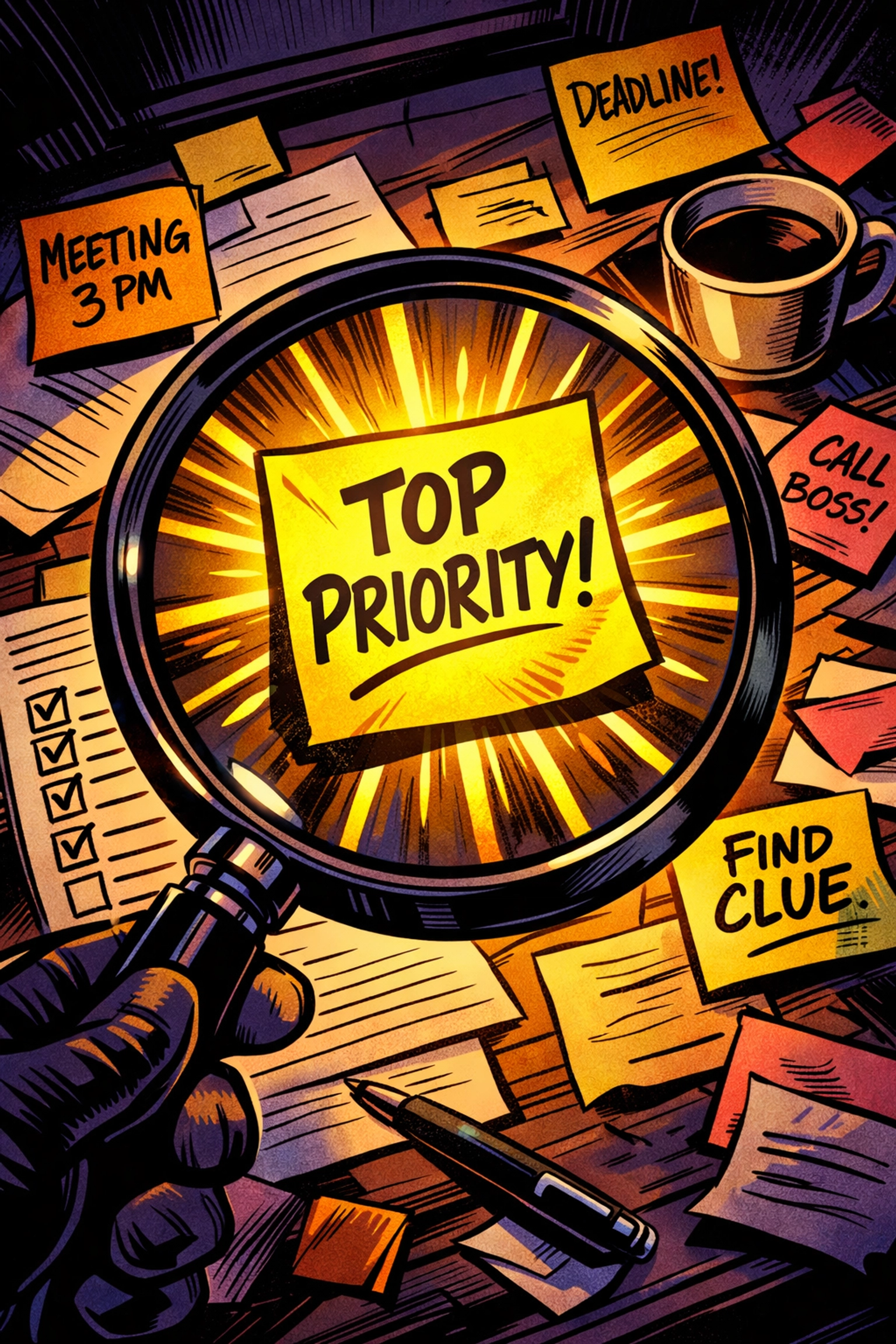
    Magnifying glass highlighting priority task for AI business automation implementation

    TRAIN YOUR TEAM (YES, REALLY)

    You can't just drop AI automation into your business and walk away.

    Your team needs to understand how to work with the tools, not against them. They need to know when to let AI handle it and when to step in themselves.

    Skip this step and watch what happens: Your team ignores the new system. They build workarounds. They complain that "it doesn't work" when really they just don't know how to use it.

    Good training looks like this:

    Show them the before and after. Demonstrate how much time it saves them personally. Give them hands-on practice with real scenarios. Answer their questions. Make them comfortable.

    And most importantly? Frame it as helping them, not replacing them. Because that's the truth. AI business automation removes the boring grunt work so your team can focus on the valuable stuff that actually requires human judgment.

    MONITOR, MEASURE, OPTIMIZE (THE UNSEXY TRUTH)

    You launched your AI automation. Congrats.

    Now the real work begins.

    You need to track results continuously. Not just at the beginning. Not just when something breaks. Continuously.

    Set up dashboards. Check your metrics weekly. Ask your team what's working and what's frustrating. Look for bottlenecks you didn't anticipate.

    Because here's what happens over time: Your business changes. Your processes evolve. What worked perfectly three months ago might be creating problems today.

    The businesses that win with AI automation? They treat it like a living system that needs attention, not a "set it and forget it" solution.

    They optimize. They adjust. They improve.

    And they measure everything in terms of actual business impact: not vanity metrics.

    THE MARBLISM SHORTCUT

    Look, you can spend the next six months cobbling together different tools, debugging integrations, and training your team on five different platforms.

    Or you could use something that's actually built for small business owners who want results without the headache.

    Marblism gives you AI agents that handle lead generation, customer support, and content creation: without requiring you to become a prompt engineering expert or hire a tech team.

    It's the pilot project that actually works. The tool that solves problems instead of creating them. The automation that takes days to set up, not weeks.

    Want to see how it actually works in your business? Check it out here: https://marblism.link/scott-bowen

    No fluff. No hype. Just AI business automation that actually saves you time.

    Dashboard showing business automation metrics and performance tracking

    YOUR ACTUAL ACTION PLAN

    Here's what you're doing this week:

    Monday: Audit your workflows. Document every repetitive task. Find your biggest time-suck.

    Tuesday: Research tools that specifically solve that problem. Read reviews from actual users, not marketing sites.

    Wednesday: Pick one tool. Start your pilot project with a small, contained process.

    Thursday: Train your team. Get them comfortable. Answer questions.

    Friday: Set up your tracking metrics. Decide how you'll measure success.

    Then you wait. You monitor. You adjust.

    And in two weeks, you'll actually know if this AI automation thing works for your business: instead of just hoping it does while you're drowning in unused software subscriptions.

    THE BOTTOM LINE

    AI business automation isn't magic.

    It won't fix broken processes. It won't replace strategic thinking. And it definitely won't work if you're just chasing the shiniest tool you saw on Twitter.

    But when you do it right? When you start with your actual problems, test small, and scale what works?

    That's when you stop working nights and weekends. That's when your business runs without you being the bottleneck. That's when you finally get your life back.

    Start with the mess. Fix the process. Then add the tool.

    Do this first. Not that.
  • Wholesale Specialty Coffee: Blends vs Single Origin (Which Is Better for Your Café Menu?)

    Wholesale Specialty Coffee: Blends vs Single Origin (Which Is Better for Your Café Menu?)

    So you're building your café menu and staring down one of the most common questions in the specialty coffee world: blends or single origins?

    It's not a simple answer. And honestly, anyone who tells you one is universally "better" than the other probably hasn't run a busy café during Saturday morning rush.

    The truth? Both have their place. The real question is: which one fits your menu, your customers, and your operational reality?

    Let's dig into it.
    What Are Coffee Blends, Really?

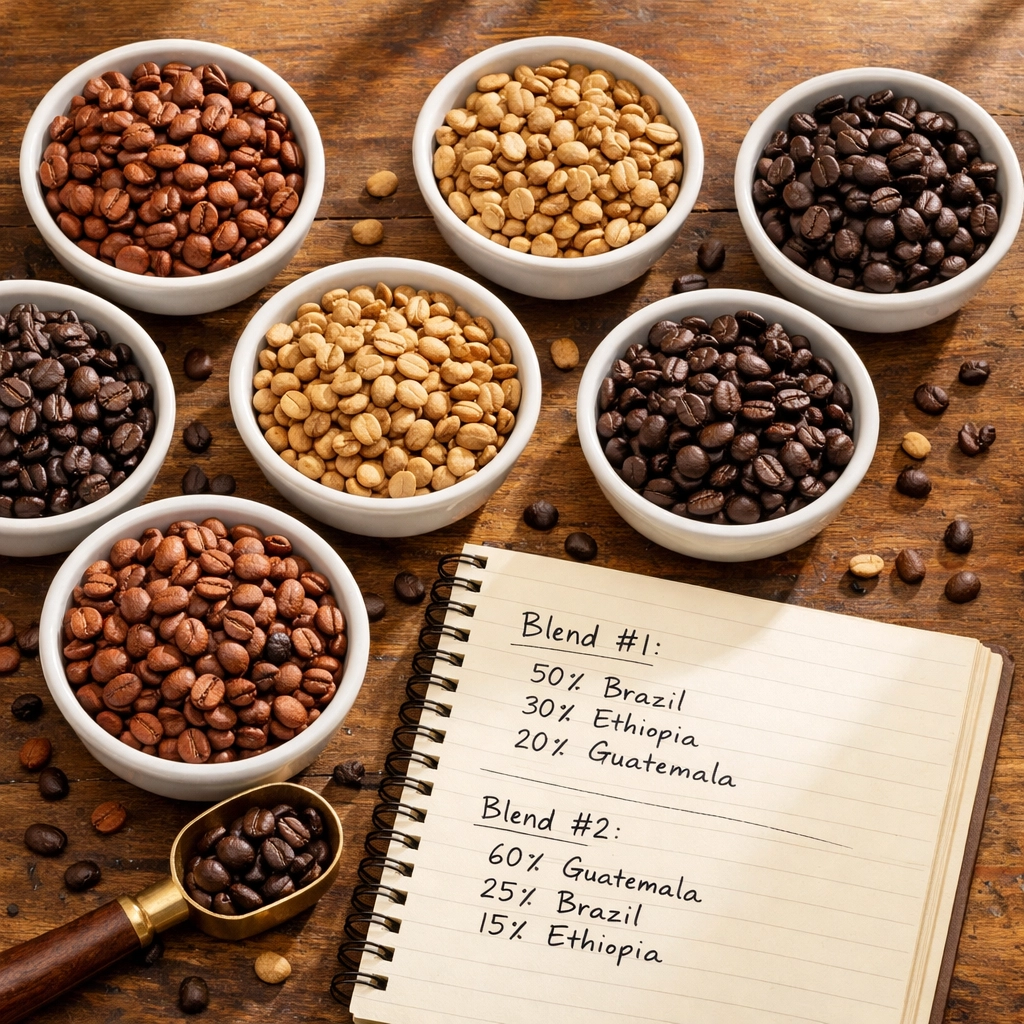
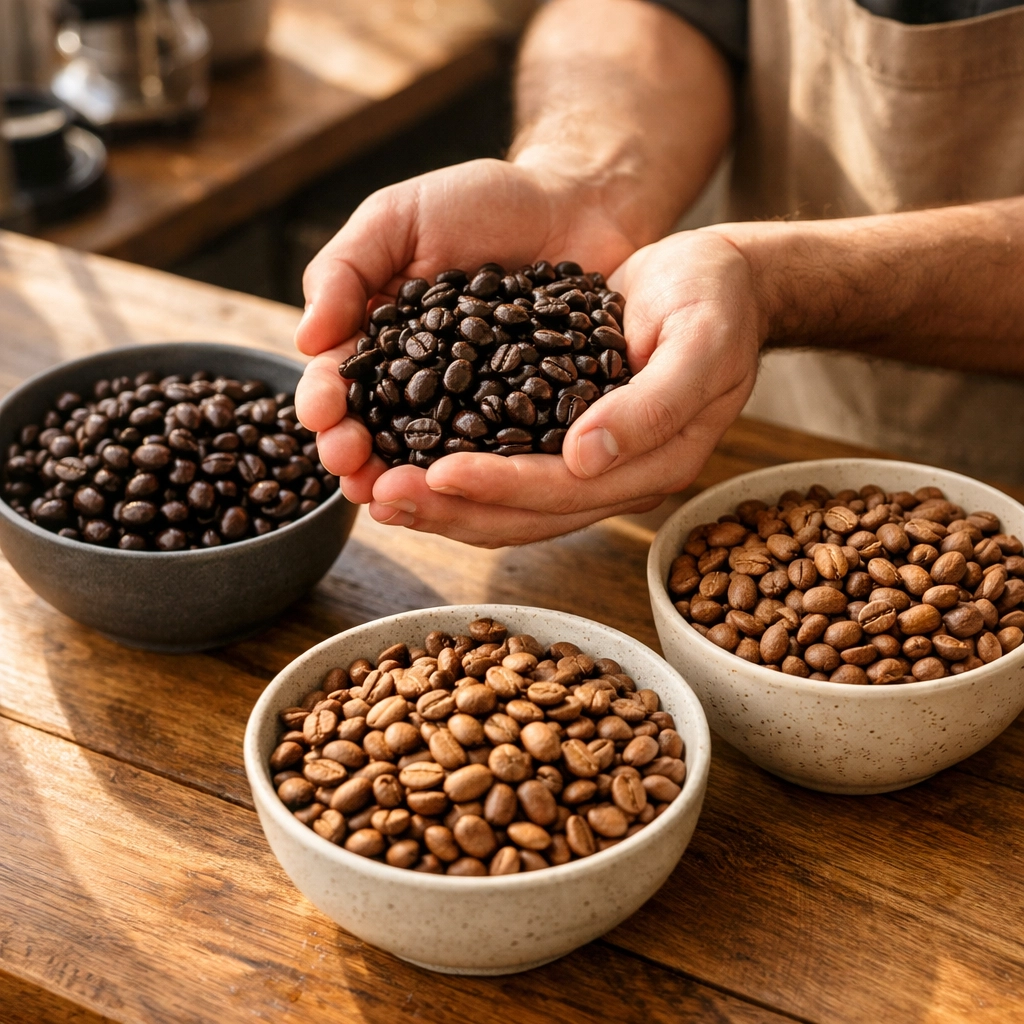
    A blend is exactly what it sounds like: multiple coffees from different origins combined to create a specific flavor profile. Think of it like a recipe. Your wholesale coffee roaster might combine a Brazilian base for body, an Ethiopian component for brightness, and a Guatemalan coffee for sweetness.
    Coffee beans from multiple origins in bowls on roaster's blending table

    The genius of blends is in their design. Roasters create them so they can swap out component coffees based on seasonality and supply while maintaining the same taste month after month. That Brazil runs out in June? They'll substitute another coffee with similar characteristics, and your customers won't notice the difference.

    This consistency is huge for commercial coffee shops. Your staff trains on one profile. Your regulars know exactly what they're getting. There's no seasonal surprise that throws off your milk ratios or confuses your less coffee-obsessed customers.

    Single Origins: The Star Performers

    Single origin coffee comes from one place: one farm, one region, one specific lot. It's traceable, specific, and proudly showcases its origin characteristics.

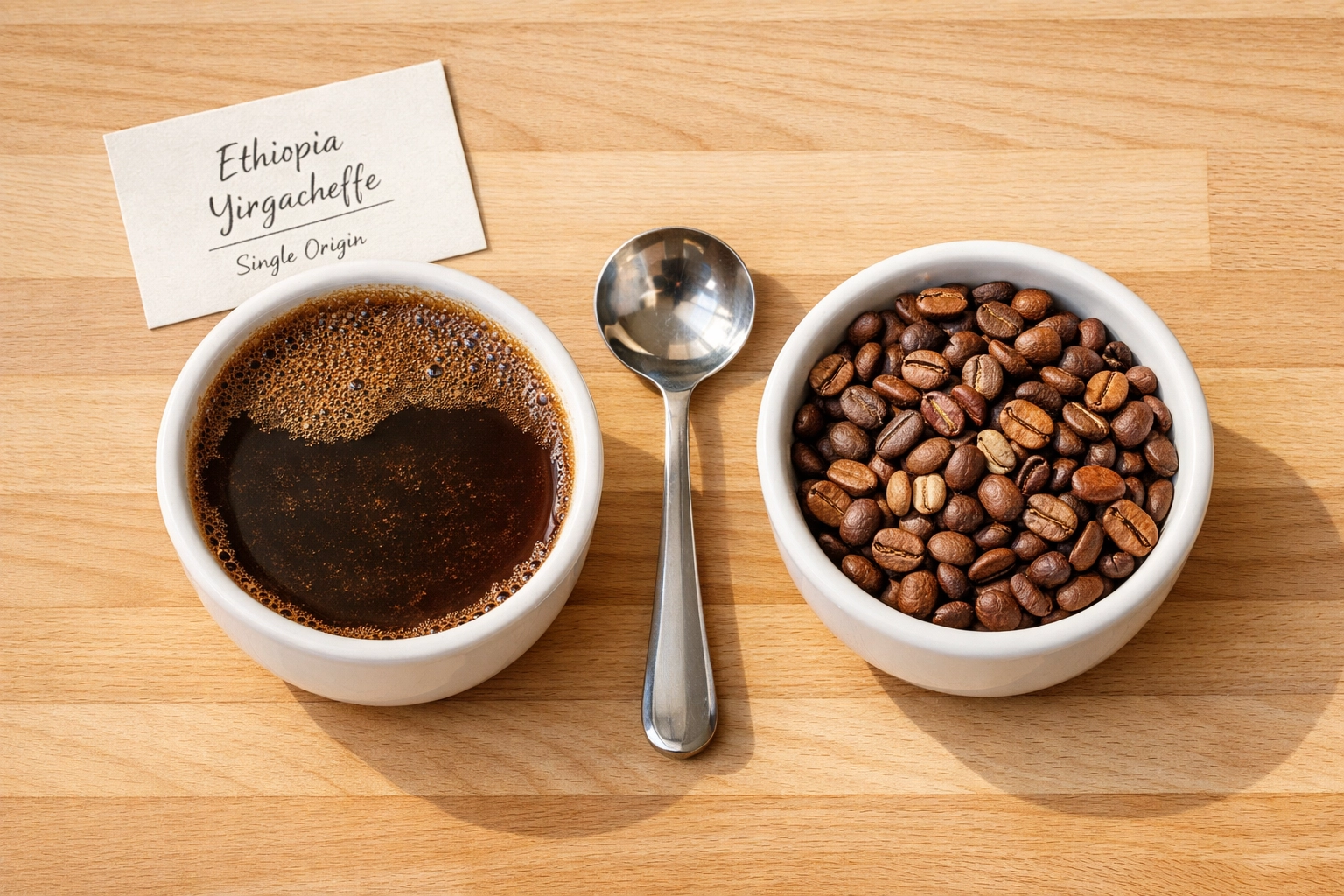
    Ethiopian Yirgacheffe tastes nothing like Colombian Huila, which tastes nothing like Kenyan AA. That's the entire point. Single origins are about terroir, about celebrating what makes that particular coffee unique. The floral notes, the bright acidity, the distinct fruit flavors: these are features, not bugs.

    For customers who care about sustainability and traceability, single origins offer complete transparency. They can learn exactly where their coffee came from, often down to the specific producer. That story matters to a growing segment of specialty coffee drinkers.

    When Blends Make Perfect Sense

    Let's be practical. If your menu is 80% milk-based drinks: lattes, cappuccinos, flat whites: you probably want blends as your workhorse.

    Why? Blends are specifically formulated to hold their character when combined with milk. That carefully designed flavor profile won't disappear under steamed dairy or oat milk. You'll still taste coffee, not just sweet milk.

    Blends are also more forgiving to brew. In a commercial setting where you've got multiple baristas with varying experience levels, consistency matters more than complexity. Blends produce predictable results shot after shot, which means fewer remakes and happier customers.

    And let's talk about pricing. Wholesale specialty coffee blends typically cost less than single origins, allowing you to maintain quality while keeping your margins healthy. For your everyday house espresso, that matters.

    Barista creating latte art at busy specialty café counter during morning service

    Your beginner customers: the ones just stepping up from supermarket coffee: tend to prefer blends too. They offer well-rounded, approachable flavors without the pronounced acidity or unusual notes that might surprise someone expecting "normal" coffee.

    When Single Origins Shine Brightest

    If your menu emphasizes black coffee preparations, single origins are your friend. Pour-overs, filter coffee, Americanos, straight espresso shots: these are where single origins truly perform.

    Without milk to compete with, all those complex, nuanced characteristics come through clearly. The citrusy brightness of a Kenyan coffee, the stone fruit notes of an Ethiopian natural process, the chocolate and caramel of a washed Guatemalan: these flavors tell stories that blends intentionally smooth over.

    Single origins also position your café as a serious specialty coffee destination. They signal to informed customers that you care about quality, sourcing, and the craft of coffee. This perception justifies premium pricing when your costs are higher.

    The trade-off? Single origins change. That's actually part of their appeal for coffee enthusiasts, but it requires more customer education and staff training. Your team needs to understand and communicate what makes each origin special, and your customers need to be comfortable with an evolving menu.

    The Hybrid Approach (What Most Successful Cafés Actually Do)

    Here's what we see working in practice: carry both.

    Use a well-designed blend for your espresso-based milk drinks. This becomes your reliable, consistent house option that the vast majority of your customers will order. Train your staff on this profile until they can dial it in blindfolded.

    Then offer single origins as filter coffee, pour-over, or a rotating "barista's choice" espresso option. This gives your curious customers something to explore without complicating your core operations.

    Cappuccino with latte art beside V60 pour-over coffee on wooden table

    This strategy maximizes menu appeal without requiring excessive inventory. You're not juggling five different espresso options or confusing customers with too many choices. You're providing a solid foundation plus something special for those who want it.

    The Quality Question

    Here's something worth remembering: a high-quality blend will always beat a mediocre single origin.

    The "blend vs single origin" debate sometimes creates a false hierarchy, as if single origins are automatically superior. They're not. A thoughtfully sourced and expertly roasted blend from quality wholesale coffee roasters often outperforms a lower-grade single origin that happens to have a single-country label.

    What matters most is the quality of the green coffee and the skill of the roaster, not whether it comes from one place or five.

    Sourcing Quality Wholesale Specialty Coffee

    Whether you choose blends, single origins, or both, your relationship with your coffee supplier makes all the difference.

    Look for wholesale coffee roasters who can provide consistency in supply, transparent sourcing information, and responsive customer service. You need suppliers who understand commercial coffee operations and can support your business as you grow.

    If you're exploring quality options, we'd recommend checking out Limini Coffee's wholesale program. They work with café owners to find the right coffee profiles for specific menus, whether that's developing a custom blend or sourcing distinctive single origins. The team understands the balance between quality, consistency, and commercial reality.

    Practical Considerations for Your Menu

    Training requirements: Blends require less extensive training because they're more forgiving and consistent. Single origins need baristas who can articulate tasting notes and adjust brewing parameters for different coffees.

    Storage and rotation: Single origins have shorter "fresh" windows and require more active inventory management. Blends typically maintain quality longer and simplify stock control.

    Menu pricing: Single origins justify higher prices but require customer education to support those prices. Blends allow competitive pricing while maintaining specialty quality.

    Equipment consistency: Blends work across various grinders and espresso machines with less dramatic differences. Single origins can perform very differently depending on equipment quality.

    Experienced barista training new team member on espresso technique at café

    Customer base: Know your audience. A neighborhood café with regular morning commuters has different needs than a destination specialty coffee bar in a city center.

    Making Your Decision

    Start by honestly assessing your menu. What percentage of your sales are milk-based drinks? How experienced are your baristas? What's your customer demographic?

    If you're primarily serving cappuccinos and lattes to customers who want reliable, delicious coffee without complexity, lean heavily on blends. Maybe 90% of your volume comes from one excellent house espresso blend.

    If you're attracting specialty coffee enthusiasts who order filter and ask about processing methods, invest more heavily in single origins. Perhaps 60% blends for accessibility, 40% rotating single origins for interest.

    There's no shame in choosing consistency and approachability. There's also no shame in going deep on origin-specific offerings. The shame is in choosing poorly roasted coffee from unreliable coffee suppliers, regardless of whether it's blended or single origin.

    The Bottom Line

    The blend versus single origin question isn't really about which is "better." It's about which serves your specific café's needs.

    Blends offer consistency, forgiveness, and cost-effectiveness. They're ideal for milk-based drinks and high-volume operations. Single origins provide distinctiveness, traceability, and storytelling. They shine in black coffee preparations and specialty-focused menus.

    Most successful cafés use both strategically. A reliable blend as the foundation, single origins as the specialty offering. This approach gives you operational consistency while still providing something special for curious customers.

    The key is sourcing quality options from reputable wholesale specialty coffee roasters who understand commercial operations and can support your business long-term. Whether you choose one approach or blend them together (pun intended), make sure you're working with suppliers who prioritize quality, transparency, and partnership.

    Your coffee menu should reflect your café's identity and serve your customers' needs. Start there, and the blend versus single origin question answers itself.

  • Wake Up to New Leads: How AI Lead Generation Works While You Sleep

    Wake Up to New Leads: How AI Lead Generation Works While You Sleep

    You spend your evenings scrolling LinkedIn.

    Researching prospects. Crafting personalized messages. Checking if they opened your email. Following up on the ones who went silent.

    And when you finally close your laptop at 11 PM… the work just stops. No leads come in. No conversations happen. No opportunities surface.

    Because you're asleep.

    But here's what most solopreneurs don't realize: your competition isn't sleeping. Or rather : their systems aren't.

    While You're Sleeping, AI Is Working

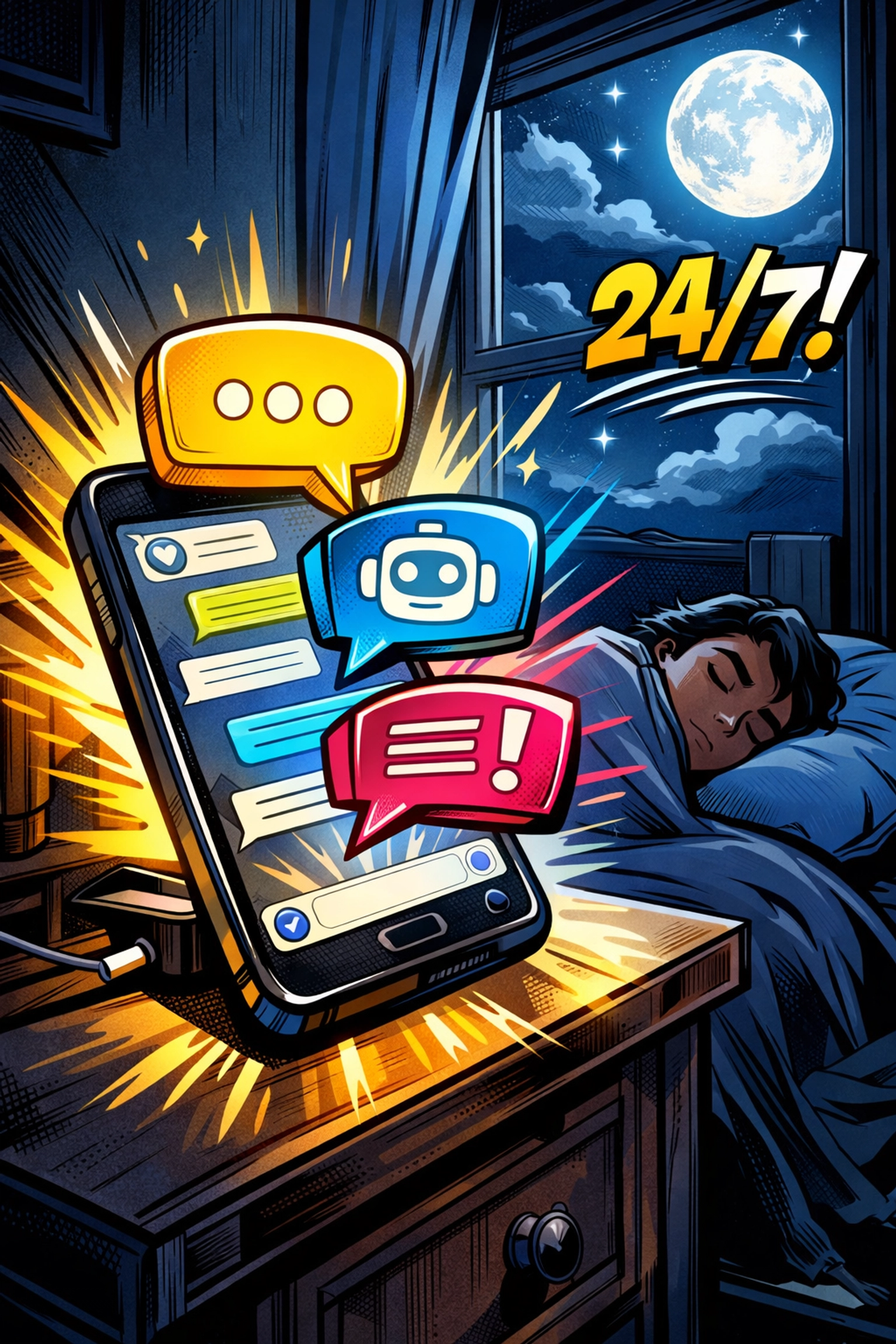
    🌙 It's 2:37 AM.

    You're deep in sleep. Your phone is charging on the nightstand. The office lights are off.

    But your AI lead generation tool? It's scanning thousands of potential customers right now.

    It's reading buying signals. Checking who just visited your competitor's pricing page. Noticing which companies just posted a job opening that signals they need exactly what you offer.

    By the time your alarm goes off at 7:00 AM, you've got 14 new qualified leads waiting in your inbox.

    You didn't lift a finger.

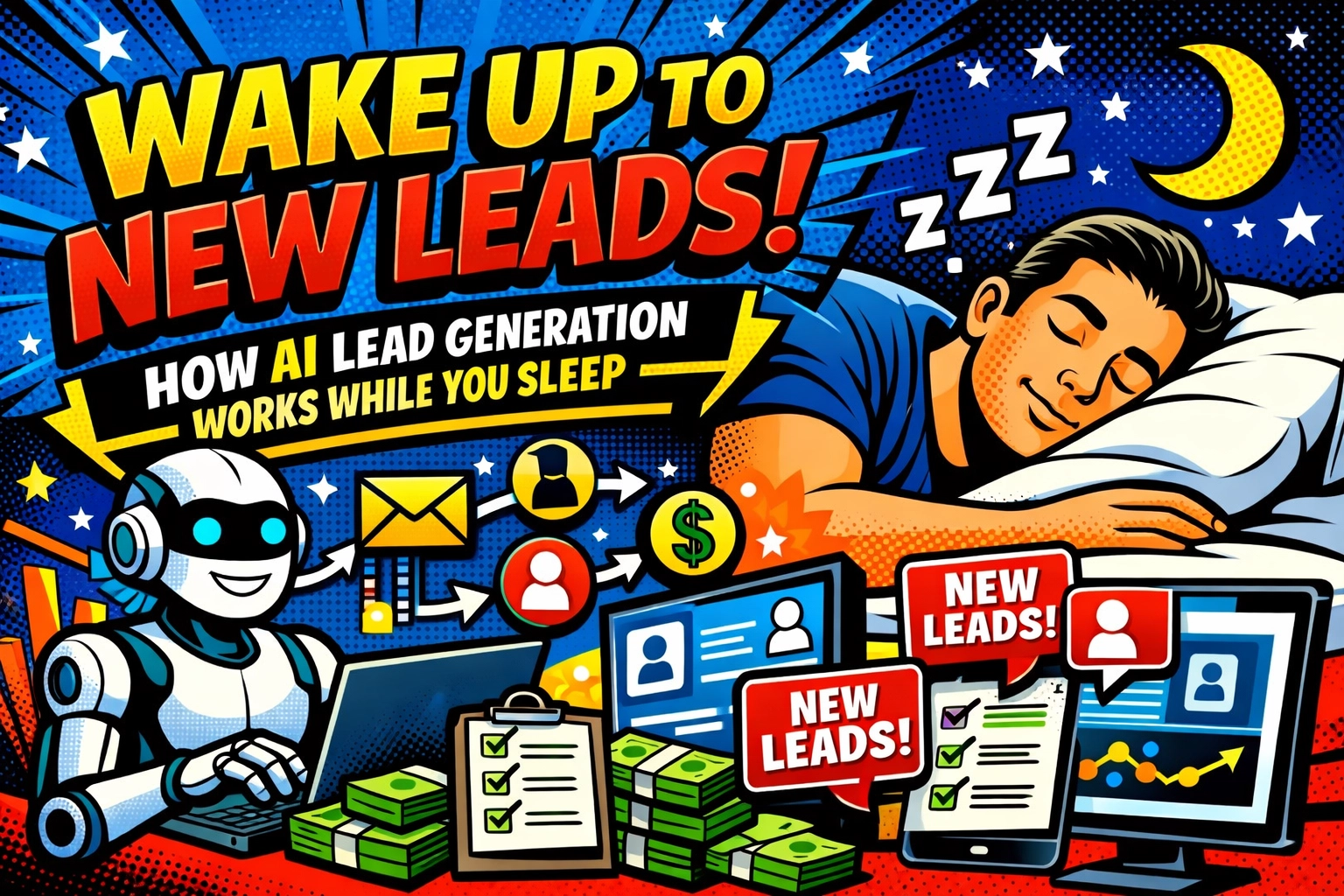
    AI lead generation tool working overnight at 2:37 AM while business owner sleeps

    The Old Way Was Exhausting

    Let's be honest about what "doing it yourself" actually looks like:

    You spend 30 minutes researching one prospect. Finding their email. Checking their company size. Stalking their LinkedIn to understand their pain points. Crafting a personalized message.

    Then you send it… and wait.

    Maybe they respond. Usually they don't.

    So you set a reminder to follow up in three days. Then another in a week. Then you forget because seventeen other prospects are in the same pipeline and you're juggling it all in a spreadsheet that's three months out of date.

    At best, you can research and reach out to 20 prospects per day.

    AI can analyze 20,000 in the same time.

    Here's What Happens Automatically

    Your ai lead generation tool isn't just sending spam emails at 3 AM. It's running an entire prospecting operation while you're offline.

    Continuous Discovery : No More Manual Research

    The AI scans millions of data points across the web. Company size. Industry. Technology they're using. Recent hires. LinkedIn activity. Website visits.

    It's checking things you'd never have time to check: Did they just expand to a new market? Did their competitor just raise funding? Are they hiring for a role that signals they need your solution?

    All of this happens in seconds. Not hours. Not days.

    By morning, you've got a list of prospects who actually fit your ideal customer profile : not just random people you hoped might be interested.

    Real-Time Engagement : 24/7 Conversations

    Someone lands on your website at 11:43 PM on a Saturday night.

    They're browsing. Curious. Ready to learn more.

    In the old world, they'd leave. Maybe bookmark your site. Probably forget about it by Monday.

    But your AI chatbot is already there. Answering their questions. Understanding what they're looking for. Capturing their contact info before they bounce.

    By the time you wake up Sunday morning, that late-night visitor is already qualified, categorized, and sitting in your pipeline with notes about exactly what they need.

    Manual prospecting vs AI lead generation automation for solopreneurs

    Perfectly Timed Follow-Ups : Nothing Falls Through the Cracks

    Here's where most solopreneurs lose deals: the follow-up.

    You send an email. They don't respond. You mean to follow up… but you're slammed with client work. Three weeks pass. The opportunity is dead.

    AI doesn't forget.

    It knows when someone opened your email but didn't respond. It waits exactly the right amount of time : not too soon, not too late : and sends a perfectly crafted follow-up.

    It adjusts the message based on their behavior. Did they visit your pricing page? The AI mentions pricing. Did they download a case study? It references that specific use case.

    Every lead stays warm. Every conversation keeps moving. While you're busy actually running your business.

    Predictive Lead Scoring : Focus on the Ones That Matter

    Not all leads are created equal.

    Some are ready to buy tomorrow. Others are just browsing.

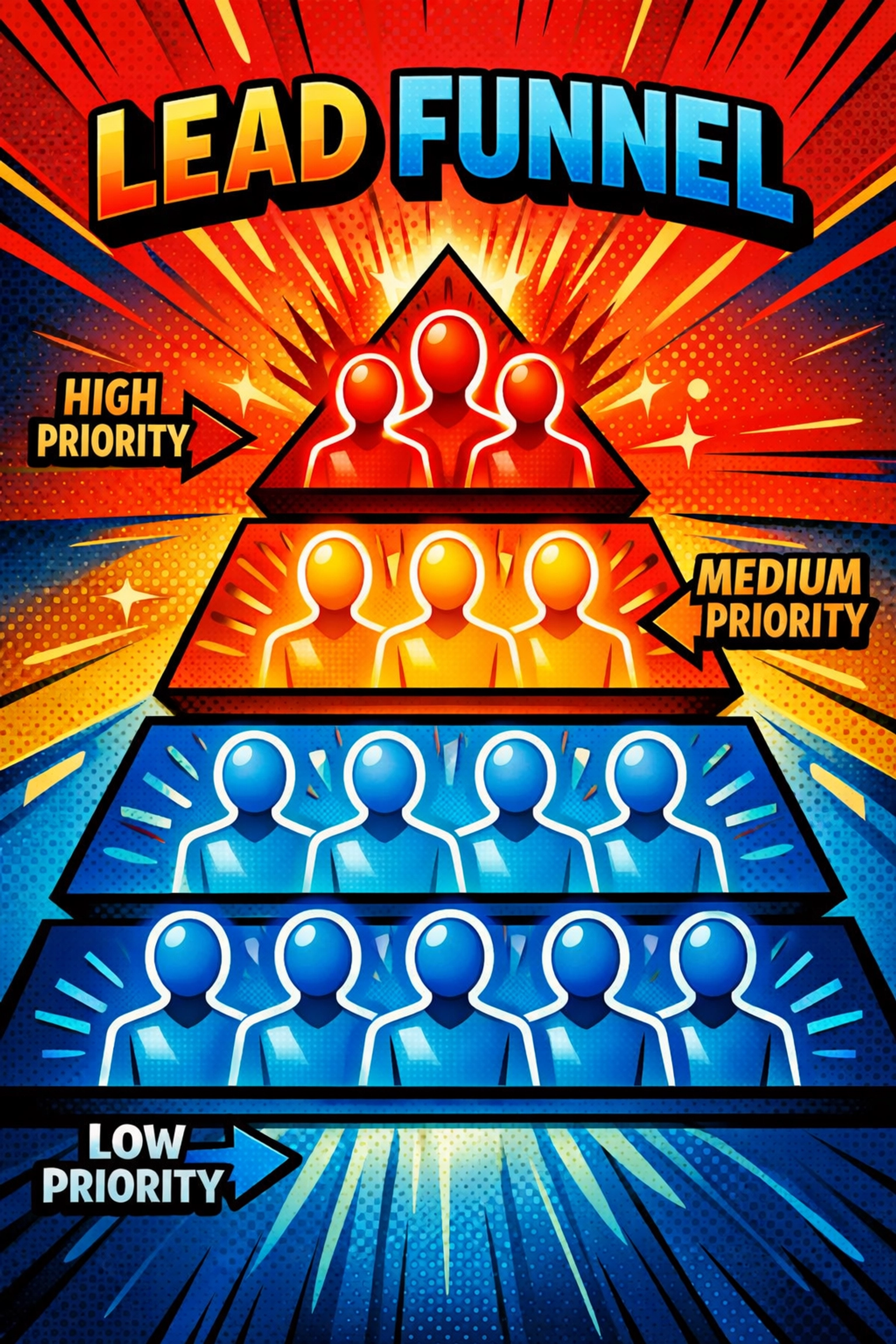
    AI analyzes past interactions, engagement patterns, and buying signals to rank every lead by likelihood to convert.

    So when you sit down Monday morning with your coffee, you're not staring at 200 random names wondering where to start.

    You've got a prioritized list. The hottest prospects at the top. The tire-kickers at the bottom.

    You know exactly who to call first.

    A Day in Your New Life

    7:15 AM : You open your laptop with your coffee.

    There are 11 new qualified leads from overnight. Three of them are marked "high priority" because they match your ideal customer profile perfectly and they've already engaged with your content.

    You spend 15 minutes reviewing them. Not researching. Not qualifying. Just reviewing what the AI already found.

    11:30 AM : You're deep in client work when your phone buzzes.

    A prospect just filled out your contact form. But here's the thing : they filled it out at 3 AM last night. The AI chatbot already had a full conversation with them, understood their needs, and scheduled a call for you at 2 PM today.

    You didn't even know they existed until right now. But they're already pre-qualified and ready to talk.

    AI chatbot engaging website visitors 24/7 while owner sleeps at night

    3:47 PM : Your 2 PM call went well. Really well.

    You send a follow-up email with pricing. Then you move on to other work.

    Behind the scenes, the AI is monitoring whether they open it. Whether they click the pricing link. How long they spend on your website afterward.

    If they go silent for 48 hours, it'll send a gentle follow-up. If they forward your email to a colleague, it'll flag them as "high intent."

    You're not watching. You're not worrying. The system is handling it.

    9:20 PM : You're watching Netflix.

    Your AI is sending personalized outreach to 50 prospects on LinkedIn. Adjusting the messaging based on their industry. Timing the sends based on when they're most likely to engage.

    Three of them respond within the hour. The AI captures their replies and categorizes them for you to review in the morning.

    You don't even know it happened yet. You're still on episode three.

    The Numbers Tell the Story

    Manual prospecting: 20 prospects researched per day.

    AI lead generation tool: 20,000+ prospects analyzed daily.

    Manual follow-up: You remember about 60% of the time.

    AI follow-up: 100% of leads get timely, personalized follow-ups. Forever.

    Your closing rate doesn't just go up because you're getting more leads. It goes up because every lead is nurtured perfectly from first contact to final conversation.

    "But Does It Actually Work?"

    Here's what you're thinking: This sounds too good to be true.

    Fair.

    But here's the reality : this isn't theoretical. This is what's happening right now for solopreneurs who've made the switch.

    They're waking up to qualified leads. They're closing deals that would have slipped through the cracks. They're scaling their pipeline without scaling their workload.

    The technology isn't "coming soon." It's here. Working. Generating real results while real people sleep.

    AI lead scoring system prioritizing hot prospects for conversion

    What You're Actually Getting

    When you set up an ai lead generation tool, you're not just getting software. You're getting a system that:

    • Finds prospects based on dozens of criteria you'd never have time to check manually
    • Engages them instantly, 24/7, with intelligent conversations that feel human
    • Scores and prioritizes them so you focus on the hottest opportunities
    • Follows up automatically with perfectly timed, personalized messages
    • Learns and improves over time based on what works for YOUR business

    It's like hiring a full prospecting team that works around the clock… without the payroll.

    The Setup Is Easier Than You Think

    You don't need to be technical. You don't need to spend weeks configuring.

    Most solopreneurs are up and running in less than an hour. You connect your existing tools. Set your ideal customer criteria. And let the system start working.

    The AI handles the complexity. You handle the conversations that actually close deals.

    Stop Trading Time for Leads

    Every hour you spend manually prospecting is an hour you're not spending on client work. Strategy. Growth.

    The math is simple: if you can automate the prospecting, you can focus on the high-value work that only you can do.

    Your AI doesn't need coffee breaks. It doesn't get tired. It doesn't take weekends off.

    It just works. Quietly. Consistently. While you're building the business you actually want to run.

    Automated AI lead generation working while solopreneur relaxes at home

    Your Next Move

    You can keep doing it the hard way. Researching prospects one at a time. Setting manual reminders. Watching leads slip away because you forgot to follow up.

    Or you can let AI handle the grunt work while you focus on closing.

    See how it works: https://marblism.link/scott-bowen

    One Last Thing

    The solopreneurs winning right now aren't the ones working the hardest.

    They're the ones working the smartest : letting systems handle the repeatable work while they focus on what actually grows the business.

    Your competitors are already doing this. They're waking up to new leads while you're still manually searching LinkedIn at midnight.

    The gap is widening.

    But here's the good news: you can close it today.

  • How to Scale Your Café: Moving from Single Origin to Custom Blends

    How to Scale Your Café: Moving from Single Origin to Custom Blends

    You've built something special. Your café has a loyal following, your baristas pull consistent shots, and customers keep coming back for that single origin Ethiopian you're so proud of. But now you're thinking bigger, maybe a second location, or ramping up volume at your current spot, or finally creating something that feels uniquely yours.

    This is where the conversation about custom blends usually starts.

    Moving from single origins to custom blends isn't just about the coffee itself. It's about operational maturity, brand identity, and, honestly, whether you're ready to scale in a way that maintains quality while giving you more control over your offering.

    Let's talk through how to make this transition thoughtfully, without losing what made your café special in the first place.

    Why Custom Blends Make Sense When You're Scaling

    Single origins are brilliant. They tell a story, they showcase terroir, they give your customers something to geek out about. But they also come with challenges when you're trying to grow.

    Supply chain vulnerability is the big one. If your entire espresso program relies on a single farm's harvest and that crop has issues, you're scrambling. Seasonal availability shifts. Prices fluctuate. And if you're opening a second location or significantly increasing volume, sourcing enough of that specific single origin becomes complicated.

    Custom blends solve this beautifully.

    They give you consistency across multiple locations, flexibility when specific origins become scarce, and, perhaps most importantly, a signature product that customers can't get anywhere else. It's your recipe. Your creation. Something that can become synonymous with your brand.

    Comparing coffee bean origins for custom café blend development

    Before You Make the Move: Are You Actually Ready?

    Here's the thing we need to address first: have you fully optimized your current operation?

    If you're still dealing with long wait times, inconsistent shot quality, or haven't maximized the customer capacity at your existing location, adding complexity to your coffee program might not be the right move yet. Sort those operational foundations first. Automate where you can. Train your team to excellence. Make sure your current setup is humming.

    Custom blends work best when you've got the basics absolutely locked down.

    You should also ask yourself: are you pulling enough volume to justify this? Custom blends typically make the most sense when you're going through serious quantities of coffee, multiple kilos per week at minimum. If you're still a small single-site operation, you might find that working with a roaster's existing house blend gives you better value and consistency than developing something custom.

    Working With Your Roaster: This Is a Partnership

    Developing a custom blend isn't something you do alone in your kitchen with a couple of bags from different origins. This is where your relationship with your wholesale coffee supplier becomes absolutely critical.

    At Limini Coffee, we work with cafés on custom blends all the time, and the best results always come from collaborative partnerships. You bring your vision, we bring technical expertise and sourcing knowledge.

    Start by having an honest conversation about what you're trying to achieve. Are you looking for something fruit-forward and bright? Chocolatey and full-bodied? Specifically designed for milk-based drinks? Do you need it to perform well in both espresso and batch brew?

    Your roaster can guide you on origin selection, maybe a Brazilian base for body and sweetness, a Colombian component for balance, and an Ethiopian element for complexity. Or perhaps a blend that shifts seasonally while maintaining a consistent flavour profile.

    The key is consistency in quality. Your roaster needs the capacity and sourcing relationships to maintain that blend composition over time, even when specific micro-lots run out. This requires backup suppliers and flexibility in the recipe (substituting a similar Guatemalan when the original runs short, for example).

    And here's where scaling gives you an advantage: increased purchasing power. When you're committing to larger volumes, you can negotiate better pricing, secure priority access to sought-after origins, and sometimes even influence how a roaster develops their seasonal offerings.

    Building Your Blend: Balance vs. Complexity

    There's a tendency when developing custom blends to overcomplicate things. You don't need seven different origins. In fact, you probably don't want seven different origins.

    We typically recommend starting with three components, four maximum. This gives you enough complexity to create something interesting without making the blend fragile or impossible to replicate consistently.

    Think about balance:

    • A base origin that provides body, sweetness, and stability (often Brazilian, Colombian, or Guatemalan naturals)
    • A supporting origin that adds brightness, acidity, or specific flavour notes
    • An accent origin that provides complexity or a signature character

    Each component should serve a purpose. If you can't articulate why something's in the blend, it probably doesn't need to be there.

    Single origin coffee vs custom blend during cupping test

    Testing is crucial. You'll want to cup multiple iterations, pull them as espresso, test them in milk. How does it perform at different ratios? Does it hold up when your morning barista is slammed and extractions get a bit rushed? Does it taste good in a flat white and a black Americano?

    This development process usually takes weeks, not days. Be patient with it.

    Staff Training: Your Team Needs to Sell the Story

    So you've developed this beautiful custom blend. Your baristas need to be able to talk about it.

    Investing in barista training becomes even more important when you're moving to a signature product. Your team should understand not just how to dial it in, but what makes it special. Where do the components come from? Why did you choose this particular combination? How does it differ from what you were serving before?

    Customers notice when staff can speak authentically about what they're serving. It's the difference between "yeah, it's our house blend" and "this is actually a combination of a Brazilian natural for sweetness, a washed Colombian for balance, and just a touch of Ethiopian to give it this lovely berry note on the finish, we developed it specifically for milk drinks."

    That second approach sells coffee. It builds brand loyalty. It makes customers feel like they're part of something.

    Train your team to dial it in correctly, grind size, dose, extraction time, temperature. Custom blends often have a sweet spot that's slightly different from what you were doing with single origins. Document your recipe. Make it consistent across all your baristas and locations.

    The Multi-Location Advantage

    If you're scaling to multiple sites, custom blends become even more valuable. They're a unifying element that ties your locations together.

    Customers should be able to walk into any of your cafés and get the same espresso experience. Same blend, same training standards, same dialled-in recipes. This consistency is what turns occasional visitors into regulars, and regulars into advocates.

    But you need robust systems to support this. Your coffee supplier needs to be able to deliver to multiple locations with reliable schedules. You need quality control measures to ensure each site is extracting properly. You might want to implement regular barista check-ins or even standardized equipment across locations to reduce variables.

    Some cafés we work with have one "flagship" barista who's responsible for recipe development and then trains leads at each location. Others bring everyone together quarterly for calibration sessions. Find what works for your operation.

    Maintaining Single Origins Alongside Your Blend

    Here's something worth considering: moving to custom blends doesn't mean abandoning single origins entirely.

    Many successful cafés run a custom house blend as their primary espresso offering while rotating single origins as filter options or seasonal espresso features. This gives you the best of both worlds, operational consistency from your blend, plus the storytelling and variety that single origins provide.

    You might even develop multiple blends for different applications. An espresso blend optimized for milk drinks. A filter blend designed for batch brew. Maybe a decaf blend that actually tastes good (yes, they exist).

    The key is having a wholesale coffee partner who can support this level of sophistication without you drowning in complexity.

    Pricing and Positioning Your Custom Blend

    One question that always comes up: should custom blends cost more than single origins?

    It depends on how you position them. If you're framing your blend as a premium signature product, something developed specifically for your café, refined over months of testing, then yes, you can absolutely charge a premium for it. You're selling exclusivity and expertise.

    But if you're using blends primarily for operational efficiency and cost management, they might actually allow you to maintain better margins while keeping customer pricing competitive.

    Either way, be transparent. Customers appreciate knowing that what they're drinking was created specifically for your café. That's a story worth telling, and one worth paying for.

    Barista training on espresso techniques for scaling café operations

    The Practical Implementation Timeline

    So you've decided to make the move. What does the actual transition look like?

    Months 1-2: Development and testing with your roaster. Multiple cupping sessions, espresso trials, feedback loops. Getting your recipe locked in.

    Month 3: Staff training begins. Your baristas start pulling shots, learning the blend's characteristics, developing their talking points. You might run it as a limited offering or "soft launch" to gather customer feedback.

    Month 4: Full rollout. Your custom blend becomes the house espresso. Marketing materials get updated. You're training new staff on your signature product rather than whatever you were pouring before.

    Ongoing: Regular quality checks with your roaster, seasonal adjustments if needed, continuous staff development.

    This isn't something you rush. Take the time to get it right.

    Final Thoughts: Build Something That Lasts

    Moving from single origins to custom blends is about more than just coffee. It's about creating something sustainable, scalable, and distinctly yours.

    The cafés we see succeed with this transition are the ones who approach it as a partnership: with their roaster, with their staff, with their customers. They don't see it as settling for "just a blend" but as graduating to something more sophisticated and intentional.

    Your custom blend becomes part of your brand identity. It's what customers remember. It's what brings them back. And when you're ready to scale: whether that's more locations, wholesale accounts of your own, or just serving more people better coffee: it's the foundation that makes it all possible.

    If you're thinking about making this move, start the conversation with your roaster now. At Limini Coffee, we love working with ambitious café owners on creating something special. Because the best custom blends aren't just recipes: they're collaborations that tell your story in every cup.

  • Stop Wasting Time on Manual Tasks: 7 Hotel Management Software Hacks

    Stop Wasting Time on Manual Tasks: 7 Hotel Management Software Hacks

    Your front desk team shouldn't spend half their day copying and pasting between systems. Your housekeeping staff shouldn't waste time hunting down room status updates. And you definitely shouldn't be manually updating rates across five different booking platforms at midnight.

    Manual tasks eat hours: hours you could spend on guests, strategy, or honestly, just breathing. The right hotel PMS eliminates this busywork through smart automation. Here's how to reclaim your time.

    1. Sync All Booking Channels From One Dashboard

    Stop opening fifteen browser tabs every morning.

    A proper channel manager connects all your booking platforms: Booking.com, Expedia, Airbnb, your direct booking engine: to one central system. Update your rates once. Change availability once. Set restrictions once. Everything syncs automatically across every channel.

    Hotel manager using channel manager dashboard to sync multiple booking platforms in one system

    No more double bookings because you forgot to close out a date on one platform. No more price discrepancies that make you look unprofessional. No more manual updates that take 45 minutes when they should take 45 seconds.

    The best part? Most cloud-native systems sync in real-time. A guest books on Booking.com, and that room disappears from Expedia instantly. That's how it should work.

    2. Let Your Hotel PMS Be Your Single Source of Truth

    We believe every piece of hotel data should live in one place.

    Your Property Management System isn't just reservation software: it's the operational brain of your property. Arrivals, departures, housekeeping status, guest preferences, payment status, maintenance requests. All visible in one unified dashboard.

    When everything connects to your PMS:

    • Front desk staff see real-time room status updates from housekeeping
    • Housekeepers receive task lists that update automatically as guests check out
    • Guest preferences from previous stays populate automatically for personalized service
    • Revenue data flows into reporting without manual export-import gymnastics

    Manual errors drop. Guest experience improves. Your team actually knows what's happening.

    3. Turn Your Website Into a Revenue Machine

    Your direct booking engine should work harder than your front desk.

    Connect it properly to your hotel PMS and reservations flow straight into your system: no manual entry required. Guests book online, payment processes automatically, confirmation emails send without lifting a finger.

    Even better? Add self-check-in kiosks or online check-in options. Guests submit their ID, credit card, and sign agreements before they arrive. They walk straight to their room. Your front desk handles exceptions and creates memorable moments instead of processing paperwork.

    Properties using self-check-in report saving 3-5 minutes per arrival. Multiply that by 50 check-ins on a busy day. That's over four hours back.

    Mobile self-check-in interface on smartphone for automated hotel guest registration

    4. Deploy Chatbots for Common Questions

    Your team doesn't need to answer "What time is breakfast?" at 2 AM.

    Virtual concierges and chatbots handle repetitive guest questions 24/7 across your website, booking platforms, and messaging apps. WiFi password. Pool hours. Restaurant recommendations. Check-out time.

    These aren't complex queries requiring human judgment: they're information delivery. Automate them. Your staff focuses on guests who need real help, like the couple celebrating their anniversary who want a surprise room upgrade.

    Response times drop from hours to seconds. Guest satisfaction increases. Staff burnout decreases.

    5. Automate Every Payment Step You Can

    Payment processing shouldn't require manual intervention.

    Modern payment systems integrated with your hotel PMS verify cards at booking, process deposits automatically, charge no-shows without staff involvement, and handle refunds with a few clicks.

    This prevents revenue leakage from:

    • Forgotten charges
    • Manual entry errors
    • Cards that don't process and never get followed up
    • Disputes you can't defend because documentation is scattered

    Plus, automated pre-authorization and deposit collection reduces no-shows significantly. Guests with skin in the game show up.

    6. Give Your Team Mobile Access to Everything

    Your staff shouldn't have to run to the front desk for every update.

    Cloud-based systems with mobile apps let housekeepers update room status from their phones, maintenance staff log completed repairs in real-time, and managers approve requests from anywhere on property.

    A housekeeper finishes room 305. Marks it clean in the app. Front desk sees it instantly and checks in the waiting guest. That's how seamless operations should feel.

    Mobile access eliminates:

    • Walkie-talkie tag between departments
    • Handwritten notes that get lost
    • Delays while staff hunt down information
    • The front desk bottleneck where everyone queues for the computer

    Real-time visibility makes everyone faster. Try a system built for mobility and watch your coordination problems vanish.

    Hotel staff member using mobile housekeeping app to update room status in real-time

    7. Stop Manually Building Staff Schedules

    Creating the weekly schedule shouldn't take four hours every Sunday night.

    Automated scheduling software considers business forecasts, employee availability, labor law requirements, and historical patterns to build optimized shifts in minutes. Overtime costs drop because the system spots inefficiencies you'd miss manually.

    Time tracking tools show exactly how long tasks actually take. You'll discover that turndown service averages 8 minutes per room, not the 15 you assumed. Or that front desk check-ins take twice as long on Friday nights when you're understaffed.

    Properties using automated scheduling report 20% productivity increases and 30% overtime reductions. That's not marginal improvement: that's transformation.

    The Real Hack: Integration

    Here's what most hotels get wrong: they implement these solutions piecemeal. Channel manager from one vendor. PMS from another. Booking engine from a third. Payment processor from a fourth.

    Then they wonder why nothing syncs properly and they're still doing manual work to bridge the gaps.

    The actual hack is choosing a unified platform where these tools integrate natively. Cloud-native systems built for automation eliminate the friction between tools.

    When your booking engine, channel manager, payment processing, guest communication, and operational tools all share data seamlessly, that's when manual work actually disappears.

    Start With One High-Impact Change

    You don't need to overhaul everything tomorrow.

    Pick the manual task that wastes the most time right now. For most hotels, that's either channel management or manual check-in processes. Automate that one thing first.

    Measure the time saved. Let your team experience what operational efficiency actually feels like. Then expand from there.

    Modern hotel management software exists to eliminate the busywork that keeps you from focusing on guests and growth. The technology is proven. The ROI is clear. The only question is how much longer you want to waste time on tasks a computer should handle.

    Your team didn't go into hospitality to update spreadsheets and copy-paste between systems. Give them the tools to do work that actually matters.

  • The Fastest Way to Automate Admin Tasks Without Hiring: 5 AI Tools Small Business Owners Are Using Right Now

    The Fastest Way to Automate Admin Tasks Without Hiring: 5 AI Tools Small Business Owners Are Using Right Now

    You're drowning in admin work.

    Every day starts the same way. Twenty unread emails before your coffee gets cold. Three calendar requests you need to juggle. Customer inquiries piling up in your inbox. Meeting notes from yesterday that still need summarizing. And somewhere in all that chaos, you're supposed to actually… run your business.

    You've thought about hiring help. But the math doesn't work. Another salary, benefits, training time : it's a $40K+ commitment before you even know if they'll stick around.

    There's another way.

    Right now, smart small business owners are using AI tools to handle the grunt work : without adding a single person to payroll. No interviews. No onboarding. Just instant help that works while you focus on what actually grows your business.

    Here are the five AI tools they're using to automate admin tasks right now.

    1. Zapier with AI: The Connector That Does Your Busywork

    Zapier's been around forever, but the AI upgrade changed everything.

    You know those repetitive tasks you do fifty times a week? Customer fills out a form, you copy the info to your CRM, send a follow-up email, update your spreadsheet, notify your team…

    Zapier with AI handles that entire chain automatically. No coding. No tech degree required.

    Connected apps automating workflows with AI showing data flowing between business tools

    Connect your apps once, and watch them talk to each other. Gmail to Google Sheets. Typeform to Slack. HubSpot to literally anything else you use. The AI figures out the logic : you just tell it what you want to happen.

    The best part? It works in the background. You'll finish your day and realize you haven't touched a single admin task because Zapier already handled it.

    Real talk: If you're still manually moving data between apps, you're working harder than you need to. This tool pays for itself in saved hours by week two.

    2. Asana Intelligence: The Project Manager Who Never Sleeps

    Your project management tool just got a brain.

    Asana Intelligence doesn't just track tasks : it writes your SOPs, summarizes project updates, and figures out what needs attention before you even ask. It's like having a ridiculously organized assistant who's always three steps ahead.

    You know that feeling when you open Asana and see 47 tasks with no clear priority? Gone. The AI sorts through the noise and tells you exactly what matters today.

    Need to document a process? Instead of spending an hour writing it out, you describe it once and Asana Intelligence turns it into a clean, shareable SOP. Need a project status update? It summarizes everything in seconds.

    The time-saver: Internal coordination. No more chasing people for updates or explaining the same process twice. It's all automated, organized, and actually useful.

    3. Notion AI: Your Messy Notes, Perfectly Organized

    Let's be honest : your Notion workspace is probably a disaster.

    Meeting notes everywhere. Random ideas scattered across pages. Documents that made sense three months ago but now… who knows what they say.

    AI-organized digital workspace with task cards and documents arranged efficiently

    Notion AI is like Marie Kondo for your business documents. It takes your chaotic notes and turns them into clean, actionable content. Meeting notes become task lists. Rambling thoughts become structured SOPs. Giant files get summarized into the three bullet points you actually need.

    The feature that makes small business owners obsessed? The instant cleanup. Dump your thoughts during a meeting, and Notion AI reformats everything into something you can actually use. No more "I'll organize this later" : it's done immediately.

    Why it matters: You stop wasting mental energy on documentation. Your brain is for strategy, not formatting headers.

    4. ChatGPT: The AI Employee You Can Train for Anything

    ChatGPT isn't just for writing anymore.

    The new AI agents feature lets you build custom "employees" trained specifically for your business. Need someone to draft customer emails in your brand voice? Train an agent. Want help writing product descriptions? Train another one. Need weekly reports summarized? You get the idea.

    Think of it like hiring specialists : except they work 24/7, never take vacation, and cost about as much as your Netflix subscription.

    Before and after comparison showing AI transforming chaotic documents into organized files

    Small business owners are using ChatGPT for everything from content creation to customer support drafts to analyzing feedback. The AI learns your style, your products, and your process. Then it handles the repetitive stuff while you focus on decisions that actually need a human brain.

    The unlock: You can scale your output without scaling your team. One person with ChatGPT can do the work of three people without the burnout.

    5. HubSpot AI CRM: The Relationship Manager That Tells You What to Do Next

    Your CRM is probably full of contacts you never follow up with.

    HubSpot AI doesn't just store information : it tells you what to do with it. "This lead is hot, reach out today." "This customer hasn't heard from you in two months." "This deal is about to slip : send a quick check-in."

    It's like having a sales manager and a customer success team wrapped into one AI brain. The system analyzes your data and gives you the next action. You just execute.

    The automation handles all the admin parts : logging calls, updating deal stages, scheduling follow-ups. Meanwhile, the AI surfaces insights you'd never catch manually. "Three customers mentioned this feature request." "Your response time dropped last week." "This segment has a 60% higher close rate."

    Why small businesses love it: You get enterprise-level customer relationship management without enterprise headcount. It's just you and your AI-powered CRM, staying on top of everything.

    The Pattern Smart Business Owners Notice

    Here's what connects all five tools.

    They're not trying to replace you. They're handling the boring, repetitive stuff that keeps you from doing your actual job. The admin tasks that drain hours but don't move the needle.

    You're not learning complex software or changing how you work. You're just letting AI handle the busywork while you handle the business.

    But here's the thing most small business owners miss…

    These tools work even better when they work together. Zapier connects them. Notion organizes the output. ChatGPT fills in the gaps. Asana tracks it all. HubSpot closes the loop with your customers.

    That's when automation stops being a bunch of separate tools and starts feeling like an actual team.

    What This Actually Looks Like In Practice

    📧 Morning (9:00 AM): Your customer inquiries from overnight? Already categorized and drafted responses sitting in your inbox, thanks to ChatGPT and Zapier.

    📝 Mid-Morning (10:30 AM): That meeting you just finished? Notion AI already turned your rambling notes into a clean task list with deadlines.

    🤝 Lunch (12:45 PM): HubSpot AI flagged three warm leads who need follow-up. It even drafted the emails. You just review and send.

    📊 Afternoon (3:00 PM): Asana Intelligence summarized your team's progress and updated the client deliverables doc. Without you touching a thing.

    🌙 End of Day (6:00 PM): Zapier's been running workflows all day : data entry, file organization, notification routing. You didn't lift a finger.

    The chaos is gone. The admin work handles itself. And you actually leave at a reasonable hour.

    Want to Go Even Deeper?

    These five tools handle the admin side brilliantly. But if you want an AI virtual assistant for business that can truly take your automation to the next level : including customer support, lead qualification, and full workflow orchestration : there's something worth checking out.

    Marblism builds AI-powered systems that don't just automate individual tasks : they run entire business processes. Think of it as the next evolution beyond these tools: an AI team that handles everything from customer inquiries to internal ops, all working together seamlessly.

    Small business owners are using it to automate customer support with AI while keeping that personal touch customers actually care about. No templates. No robotic responses. Just intelligent automation that feels human.

    See how it works here : it's designed specifically for businesses that want to scale without hiring.

    The Bottom Line

    Automation isn't the future anymore. It's what's happening right now, in thousands of small businesses that decided they were done with 60-hour work weeks.

    You don't need to hire. You need better tools doing the work that's been stealing your time.

    The five AI tools above? They're the fastest way to get started. Pick one, set it up today, and watch hours of admin work disappear by next week.

    Your business doesn't need more people. It needs smarter systems.

    And the best part? You can start before you finish this article. Most of these tools have free trials. Zero risk. Just results.

    Stop drowning in admin tasks. Let AI do what it does best ( so you can do what you do best.)